
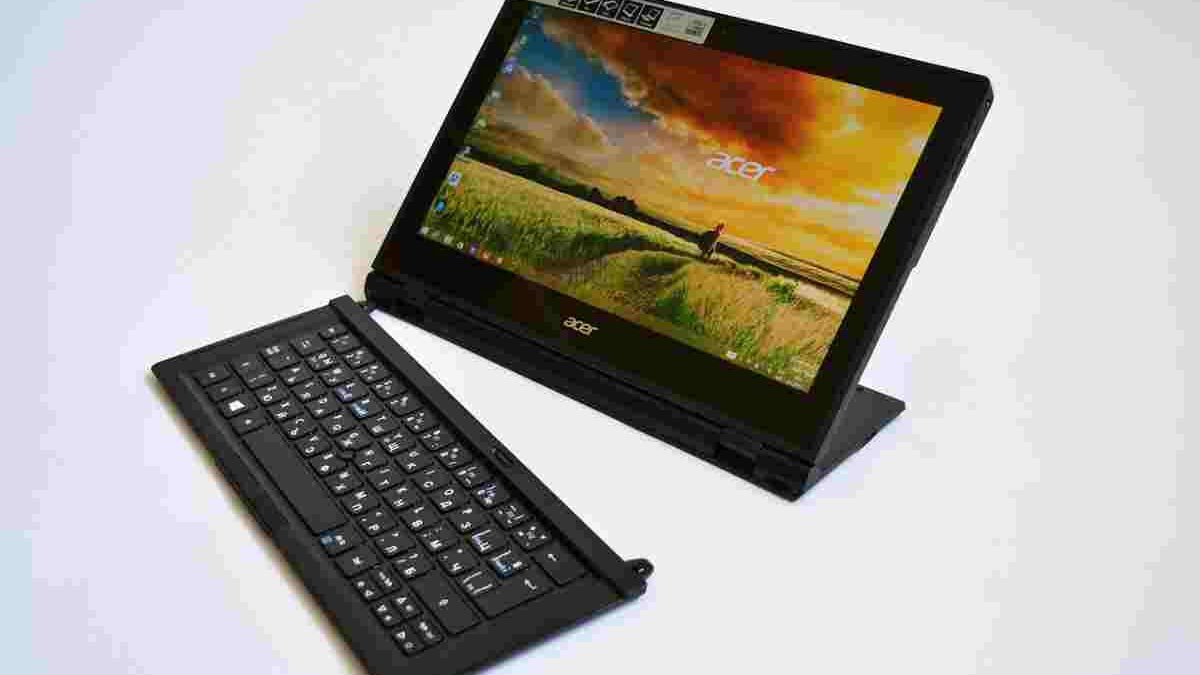
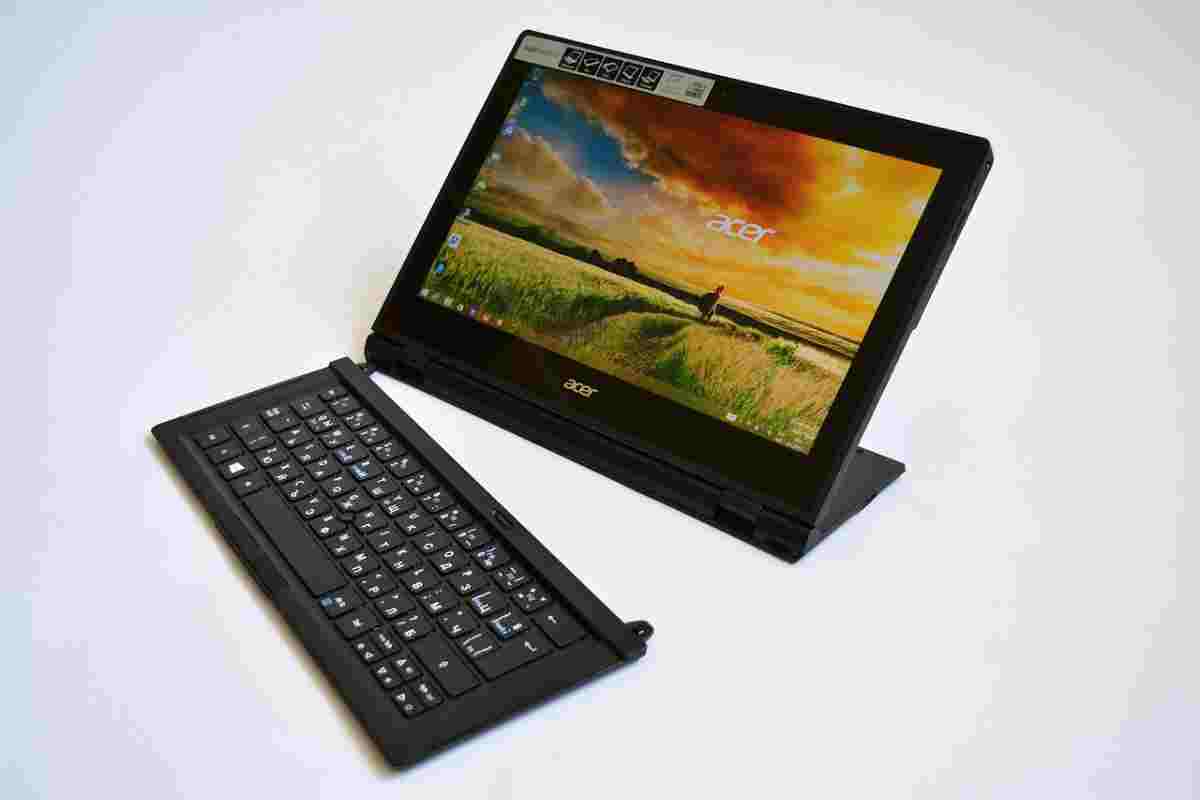
A convertible computer should offer the convenience of a tablet without sacrificing the productivity of a laptop. That is the idea behind the Acer Switch 5, a detachable Windows 2-in-1 designed for students, professionals, and families who want one device for everyday computing, entertainment, and creative tasks.
The Acer Switch 5 combines a 12-inch touchscreen, a detachable keyboard, an adjustable kickstand, and stylus support. Its fanless design also makes it attractive to people who prefer a quiet workspace. However, its older processor, reflective display, and limited battery capacity deserve careful consideration, especially if you plan to buy one today.
This review explores the Switch 5’s design, performance, display, keyboard, pen, battery life, and practical limitations to help you decide whether this convertible still makes sense.
Table of Contents
Acer Switch 5 Specifications
| Feature | Details |
|---|---|
| Display | 12-inch IPS touchscreen |
| Resolution | 2160 × 1440 pixels |
| Aspect ratio | 3:2 |
| Processor | Intel Core i5-7200U or Core i7-7500U, depending on configuration |
| Graphics | Intel HD Graphics 620 |
| Memory | Typically 4GB or 8GB LPDDR3, depending on configuration |
| Storage | 256GB or 512GB PCIe SSD, depending on configuration |
| Operating system | Originally supplied with Windows 10 |
| Connectivity | USB-A, USB-C, microSD card reader, Wi-Fi and Bluetooth |
| Security | Fingerprint reader on supported configurations |
| Cameras | Front camera and rear camera |
| Keyboard | Detachable, backlit keyboard |
| Stylus | Compatible active pen, often included with the original package |
| Battery | Approximately 37–39Wh, depending on the specification source |
| Weight | Approximately 1.27–1.29kg with keyboard |
Specifications vary by regional model and configuration. Check the exact model number before buying.
Design and Build Quality: Made for Different Situations
The Acer Switch 5 uses a detachable design rather than a conventional laptop hinge. Its main components sit behind the touchscreen, while a removable keyboard provides a familiar typing experience when needed.
This arrangement makes the device flexible. You can use it as a laptop at a desk, detach the keyboard for reading, or prop up the screen for watching videos. It is also convenient for taking handwritten notes during meetings or classes.
The adjustable kickstand is one of its defining features. It supports different viewing angles, allowing you to position the screen for typing, drawing, or watching content. Its mechanism is designed to provide support without requiring a separate stand.
The metal construction gives the device a more substantial feel than many inexpensive plastic tablets. Nevertheless, the kickstand and detachable keyboard introduce moving parts and connection points. Treat the device carefully, particularly when carrying it in a bag.
At approximately 1.27kg with its keyboard, the Switch 5 is portable enough for commuting and everyday travel. However, it is heavier than many tablets used without accessories. Its main advantage is that you can carry a tablet and laptop-style keyboard in one package.
Performance: Is the Acer Switch 5 Still Fast Enough?
The Switch 5 was released during the era of seventh-generation Intel Core processors. Depending on the configuration, it uses an Intel Core i5-7200U or Core i7-7500U processor, paired with Intel HD Graphics 620.
These processors can handle everyday tasks such as web browsing, document editing, email, video playback, and light multitasking. The solid-state drive also helps Windows and applications start more quickly than they would on a traditional mechanical hard drive.
The Core i7 configuration can offer an advantage in some workloads, but the difference should not be exaggerated. Both processors are older dual-core designs, so neither matches the performance or efficiency of modern laptop processors.
The integrated graphics are suitable for ordinary desktop tasks and basic image editing. However, this is not a gaming-focused machine. Demanding modern games, complex 3D applications, and intensive video-editing projects can expose its limitations.
Memory is another consideration. Some configurations have only 4GB, while others offer 8GB. Because the memory is onboard rather than installed in conventional upgradeable slots, buyers should check the available configuration carefully.
For students, writers, and users who mainly work with documents, the Switch 5 can still be useful. For heavy multitasking or demanding creative work, a newer computer with more memory and a modern processor is a better long-term investment.
Display Quality: A Sharp Screen with Some Limitations
The 12-inch IPS touchscreen is one of the Switch 5’s strongest features. Its 2160 × 1440 resolution provides a sharp image, while the 3:2 aspect ratio offers more vertical space than a traditional widescreen display.
That extra height is helpful when reading articles, editing documents, reviewing spreadsheets, or browsing websites. Instead of scrolling constantly, you can see more content at once.
The IPS panel also provides broad viewing angles. This makes it easier to share the screen with another person or adjust the kickstand without immediately losing image clarity.
However, the display is glossy and can reflect nearby lights. Working near a window or under strong overhead lighting may become distracting. Brightness is adequate for many indoor environments, but the screen is less comfortable in direct sunlight than brighter modern displays.
Colour performance also deserves attention. The Switch 5 is suitable for general photo viewing and everyday creative work, but its colour coverage and calibration are not ideal for professionals who require dependable colour accuracy. Photographers and designers should consider a newer display with verified colour-gamut coverage.
The touchscreen supports multi-touch gestures, including zooming and scrolling. Combined with the kickstand, it makes the device useful for reading, presentations, and simple sketching.
Keyboard, Trackpad and Stylus: Designed for Productivity
A detachable computer is only as useful as its input accessories. Fortunately, the Switch 5 offers more than a basic touchscreen experience.
Its backlit keyboard connects through a magnetic strip. The keys provide a laptop-style typing layout, making it suitable for writing emails, preparing assignments, and editing documents. The keyboard can also be positioned with a slight incline to create a more comfortable typing angle.
The trackpad supports common navigation gestures, including scrolling and dragging. This reduces the need to reach for the touchscreen during longer work sessions.
The included keyboard is particularly valuable when comparing the Switch 5 with tablets that require separate accessories. However, buyers of used units should confirm that the keyboard is included and that its magnetic connector works properly.
The compatible active stylus adds another way to interact with the screen. The original pen supports 1,024 pressure levels, allowing line thickness to vary according to pressure in supported applications. This can help with handwritten notes, annotations, and basic illustrations.
Still, the pen is not a replacement for a professional drawing tablet. Its pressure sensitivity and drawing features are more limited than those of many newer digital pens. Check whether the pen is included when buying a second-hand device.
Cameras, Connectivity and Security
The Switch 5 includes front and rear cameras, making it suitable for video calls, document capture, and occasional photographs. The front camera is the more practical option for online meetings, although image quality is modest compared with modern webcams.
A fingerprint reader integrated into the power button provides a convenient way to unlock supported configurations. It can make everyday sign-in quicker than repeatedly entering a password.
Connectivity includes USB-A and USB-C ports, a microSD card reader, Wi-Fi, and Bluetooth. These features support common accessories such as external storage, wireless headphones, and compatible peripherals.
The USB-C port is especially useful, but do not assume it supports every modern USB-C feature. Its capabilities depend on the hardware and supported standards. If you want to connect an external display, check the precise video-output specifications and cable requirements first.
For a larger workspace, a compatible USB-C monitor may be a useful addition. Confirm that the Switch 5 supports the monitor’s required video connection before purchasing it.
Battery Life: Suitable for Moderate Use
The Switch 5 has a relatively small battery, rated at approximately 37–39Wh depending on the source and configuration. Acer originally advertised battery life of up to around 10.5 hours under favourable conditions.
Real-world results depend on screen brightness, wireless connectivity, background applications, processor load, and battery age. Independent testing of the model has shown that light tasks can provide several hours of use, while demanding workloads shorten runtime considerably.
Because this is an older device, battery condition is especially important when buying used. A unit that once offered acceptable runtime may now need frequent charging.
Check the battery health where possible, and test how quickly the charge drops during ordinary use. Also confirm that the original or a compatible charger is included.
Is the Acer Switch 5 Suitable for the Whole Family?
The Switch 5 can serve several users because its detachable design supports different activities.
Students can use it for research, handwritten notes, and assignments. Parents can use it for email, browsing, and document editing. Other family members can detach the keyboard for reading or watching videos.
However, it is not equally suitable for every household. Young children need careful supervision when using a device with exposed ports and a detachable stand. Families should also consider whether the battery, screen, and keyboard remain in good condition.
For users who prefer ChromeOS and mainly work online, an Acer Chromebook may be a simpler alternative. A Chromebook offers a different software experience, so compare application compatibility before deciding between the two.
For people who regularly print assignments, travel documents, or household paperwork, a portable printer can complement a mobile computer. Check operating-system compatibility and available connection options before choosing a printer.
What to Check Before Buying a Used Acer Switch 5
Since the Switch 5 is an older model, buying one today requires more care than buying a current laptop.
- Battery condition: Check the battery’s reported health and actual runtime.
- Screen condition: Look for dead pixels, bright spots, touch problems, and scratches.
- Kickstand stability: Make sure the stand opens smoothly and holds its position.
- Keyboard connection: Test every key, the backlight, and the trackpad.
- Ports and charging: Confirm that the USB ports and charger work reliably.
- Memory and storage: Verify the installed RAM and SSD capacity.
- Software support: Check the operating system’s current security-support status and whether your required applications remain compatible.
Windows 10’s standard support ended on October 14, 2025. Therefore, buyers should not assume that an original Windows 10 installation continues to receive standard security updates. Check Microsoft’s current support guidance and the device’s eligibility for a supported operating system before relying on it for sensitive work.
Final Verdict
The Acer Switch 5 was an appealing convertible because it combined a sharp touchscreen, a detachable backlit keyboard, stylus support, and a quiet fanless design. Its flexible form makes it useful for note-taking, document editing, browsing, and everyday family activities.
However, its older processor, modest integrated graphics, reflective display, and ageing battery limit its appeal today. The device makes the most sense when it is affordable, in good condition, and supplied with its essential accessories.
Before buying, inspect the battery, touchscreen, kickstand, keyboard, and software compatibility. If you need modern performance, longer battery life, or advanced creative features, compare newer alternatives first. The Switch 5 can still be practical for basic computing, but its value depends heavily on its condition and purchase price.