

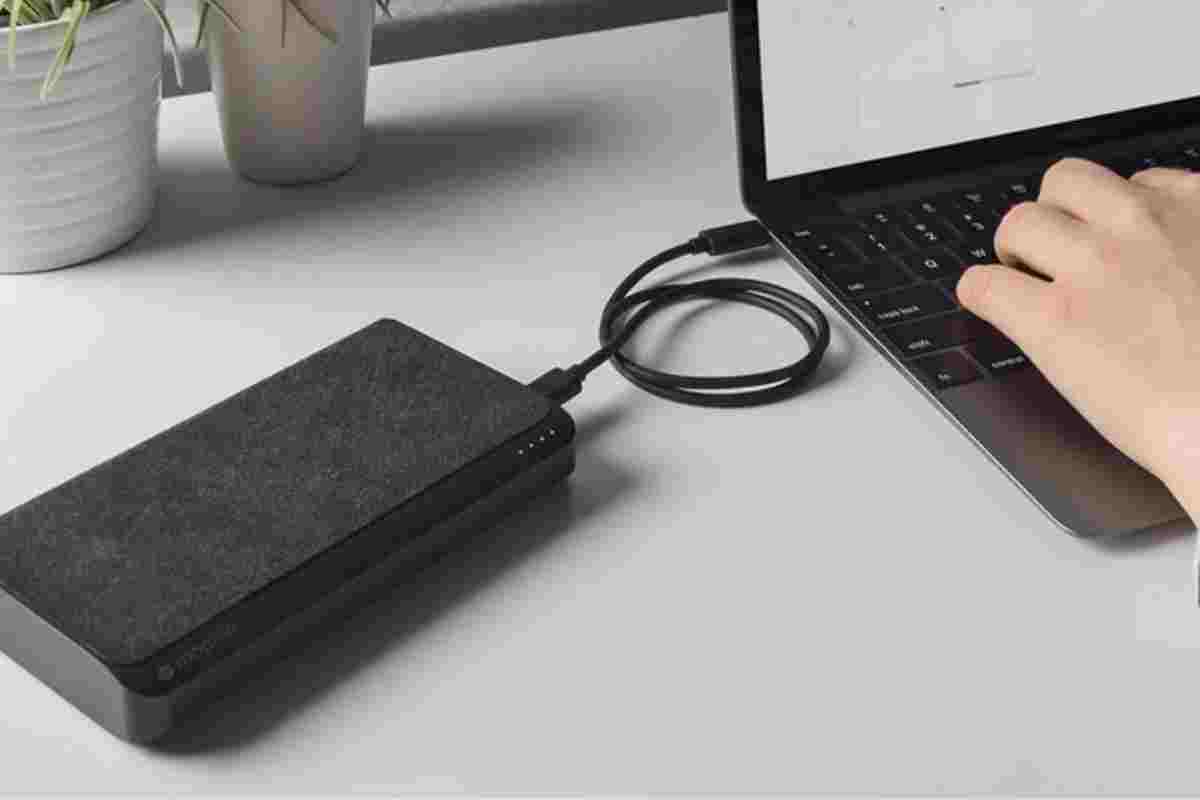
An external laptop battery can be a valuable accessory if you work while travelling, attend classes away from a power outlet, or use demanding applications that consume significant energy. It can help keep your laptop running during long journeys, outdoor work, business trips, and unexpected power interruptions.
However, not every portable charger can power a laptop. Some power banks are designed only for smartphones and tablets, while others provide the higher voltage and wattage required by computers. Choosing the right model means checking capacity, charging speed, compatibility, portability, and safety.
This guide explains how external laptop batteries work, what specifications matter, and which types of portable power solutions may suit different users.
Table of Contents
How to Charge Your Laptop with an External Battery
The simplest option is usually a laptop-compatible power bank. You connect it to your laptop using a supported USB-C cable or the appropriate DC charging connector. The power bank supplies energy to the computer without needing a wall outlet during use.
However, the connection must match your laptop’s charging requirements.
USB-C Power Banks
Many modern laptops support charging through USB-C with USB Power Delivery (USB PD). These computers can often use a compatible USB-C power bank, provided it supplies sufficient wattage and supports the required charging profile.
For example, a laptop designed for 65W USB-C charging may work with a compatible 65W or higher-output power bank. A more powerful gaming laptop may require 100W, 140W, or another supported power level.
A higher wattage rating does not automatically guarantee compatibility. Check the laptop manufacturer’s charging specifications and use a suitable cable.
DC Laptop Power Banks
Some laptops use a traditional round charging connector rather than USB-C charging. These computers may require a power bank with a compatible DC output and the correct connector.
Check the required voltage, current, polarity, and connector size before connecting the battery. An incorrect power supply can prevent charging or potentially damage equipment.
Can You Use a Standard USB Power Bank?
A regular smartphone power bank may not provide enough power to charge a laptop. USB-A power banks usually have limited output and are not a universal solution for laptop charging.
USB-C is also a connector type, not a guarantee of high-power charging. Confirm the supported USB Power Delivery output rather than assuming that every USB-C power bank can charge every laptop.
What to Look for When Buying an External Laptop Battery
1. Capacity and Watt-Hours
Capacity is one of the most important considerations when choosing an external laptop battery. Manufacturers commonly advertise capacity in milliamp-hours (mAh), but this figure cannot be compared accurately without considering battery voltage.
Watt-hours (Wh) provide a more useful measure of stored energy.
For example, a power bank rated at 20,000 mAh and 3.7V stores approximately 74 Wh of energy before conversion losses. The amount delivered to a laptop will be lower because power conversion and charging are not perfectly efficient.
A 20,000 mAh power bank may be suitable for some lightweight laptops, but it will not necessarily recharge every computer fully. Larger laptops may require a higher-capacity battery.
2. Output Wattage
Output wattage determines how much power the battery can supply at a given time. A laptop may charge slowly or continue losing battery while under heavy load if the power bank cannot provide sufficient output.
Check the wattage of your original charger and compare it with the power bank’s specifications. Also verify whether the advertised maximum output applies to one port or is shared between several connected devices.
This is especially important for gaming laptops, which often require more power to run demanding games smoothly. For example, understanding graphics hardware such as the GTX 1660 Ti graphics card can help you assess the needs of a gaming setup before choosing a suitable external laptop battery.
3. Connectors and Compatibility
Before purchasing, confirm how your laptop receives power. It may use USB-C Power Delivery, a proprietary connector, or a compatible DC input.
Check the following details:
- Required charging voltage and wattage.
- Supported USB-C Power Delivery profiles, if applicable.
- Connector size and polarity for DC charging.
- Cable compatibility and charging limitations.
- Manufacturer guidance for third-party power sources.
Compatibility should always take priority over a high capacity rating.
4. Size and Portability
High-capacity power banks usually weigh more than smaller smartphone chargers. If you travel regularly, consider whether the additional battery life justifies the extra weight.
A compact USB-C power bank may suit a lightweight laptop, while a larger DC power bank may be useful for compatible older computers. Portable power stations can offer more capacity, but they are generally heavier and less convenient for everyday carrying.
Is a 20,000 mAh Power Bank Enough for a Laptop?
A 20,000 mAh power bank can be useful for laptops and tablets, but its actual performance depends on energy capacity, conversion losses, and the laptop’s battery size.
Consider a simplified example. A 20,000 mAh power bank rated at a nominal 3.7V stores approximately 74 Wh. If conversion losses reduce the usable energy to around 55–65 Wh, that may provide a substantial recharge for a small laptop with a battery of similar capacity.
However, it may deliver less than one full recharge to a laptop with a larger battery. Heavy workloads can also consume power while the laptop is charging.
For this reason, compare watt-hours rather than relying on mAh alone. Also check whether the power bank can supply enough wattage to charge the laptop while you use it.
Three Types of External Laptop Batteries to Consider
1. Litionite Tanker 90W / 50,000 mAh
The Litionite Tanker is a high-capacity external battery designed to power compatible laptops and other electronic devices. The manufacturer’s specifications list a 50,000 mAh capacity, equivalent to 185 Wh, and a maximum DC output of 90W.
It includes a DC output with multiple voltage options, two USB-A ports, and a USB-C port. The DC output and supplied laptop connectors are intended to support a range of compatible computer models.
This makes the Tanker worth considering for users who need more capacity than a typical smartphone power bank can provide. However, the USB-C output specification listed by the manufacturer is lower than its maximum DC output, so buyers should check which port supports their laptop’s charging requirements.
Advantages
- High stated energy capacity.
- Multiple outputs for compatible devices.
- DC output supports selected laptop voltage requirements.
- Supplied connectors cover a range of older laptop models.
Limitations
- Compatibility depends on voltage and connector requirements.
- The manufacturer lists a weight of approximately 1.2 kg.
- Its 185 Wh capacity makes airline restrictions a significant concern.
Best for: Users with compatible laptops who need a high-capacity power source and do not require unrestricted air travel with the battery.
2. Portable Power Bank with a Standard AC Outlet
Some portable batteries include a conventional AC outlet, allowing compatible devices to connect through their regular power adapters. This can be useful when a laptop does not support USB-C charging or when you need to power another small device.
However, check both the continuous AC output and the device’s power requirements. A unit rated for 50W, for example, may not be suitable for a laptop that requires a 65W charger.
AC outlets also introduce conversion losses, so less energy may reach the laptop than with a suitable direct DC or USB-C connection. The actual capacity, inverter rating, output waveform, and safety protections should be checked before buying.
Advantages
- Supports compatible devices with conventional AC adapters.
- Useful for certain older laptops and small electronics.
- Can provide flexible charging options.
Limitations
- AC conversion can reduce efficiency.
- Output wattage may be too low for some laptops.
- Larger batteries can be heavy and restricted during air travel.
Best for: Users who need an AC outlet for compatible low-power equipment and understand its output limitations.
3. Portable Power Station with AC and USB Outputs
A portable power station is a larger battery system designed to supply energy to several devices. Depending on the model, it may include AC outlets, USB-A ports, USB-C Power Delivery, and other outputs.
These units can be useful for remote work, outdoor photography, camping, and situations where mains electricity is unavailable. A suitable model may charge a laptop while also powering compatible accessories.
However, not every power station is appropriate for air travel. Capacity, weight, charging speed, and output limits vary significantly between models. Some units are designed mainly for stationary or outdoor use rather than carrying in a laptop bag.
Advantages
- Can supply power to several compatible devices.
- Larger capacities may support longer periods away from mains electricity.
- Multiple output types offer flexibility.
Limitations
- Generally heavier than conventional power banks.
- Higher-capacity models can be expensive.
- Airline restrictions may prevent carrying certain units onboard.
Best for: Remote workers and travellers who need substantial portable power for multiple devices outside aircraft travel.
Can You Take an External Laptop Battery on a Plane?
Do not assume that every laptop power bank is permitted on an aircraft. Lithium power banks must generally be carried in cabin baggage rather than checked baggage, and airlines impose restrictions based on battery energy capacity.
As a general reference, batteries up to 100 Wh are commonly permitted in carry-on baggage. Batteries between 100 Wh and 160 Wh may require airline approval, while batteries above 160 Wh are generally not permitted on passenger aircraft under standard rules. Specific airline and country requirements can differ.
For example, the Litionite Tanker is rated at 185 Wh, so it exceeds the usual 160 Wh passenger-aircraft limit. Do not purchase it for air travel without first confirming the applicable rules; under standard restrictions, it would generally not be permitted.
Check the watt-hour rating printed on the battery and confirm your airline’s current policy before travelling. Protect the battery from damage and prevent its terminals from contacting metal objects.
How to Extend Your Laptop’s Battery Life
An external battery is only one way to stay productive away from a power outlet. You can also reduce power consumption by lowering screen brightness, closing unnecessary applications, disabling unused wireless connections, and selecting an appropriate power-saving mode.
If you are comparing computers for work or travel, explore the guide to the best laptops. Different laptop designs offer different battery capacities, charging speeds, and power requirements.
For lighter and more portable computer options, learning what an ultrabook is can help you understand the balance between portability, performance, and energy efficiency.
Conclusion
The best external laptop battery is one that matches your computer’s charging requirements, provides enough usable energy, and fits your travel habits. Capacity, wattage, connectors, weight, and safety are all important when comparing portable power options.
A 20,000 mAh power bank may suit some lightweight laptops, while high-capacity DC batteries and portable power stations can support compatible devices for longer periods. Always check the exact specifications rather than relying on marketing labels.
Finally, consider where you will use the battery. A high-capacity unit may be useful for outdoor work but unsuitable for air travel because of its watt-hour rating. By checking compatibility and airline restrictions before purchasing, you can choose an external power solution that is practical, safe, and reliable.