
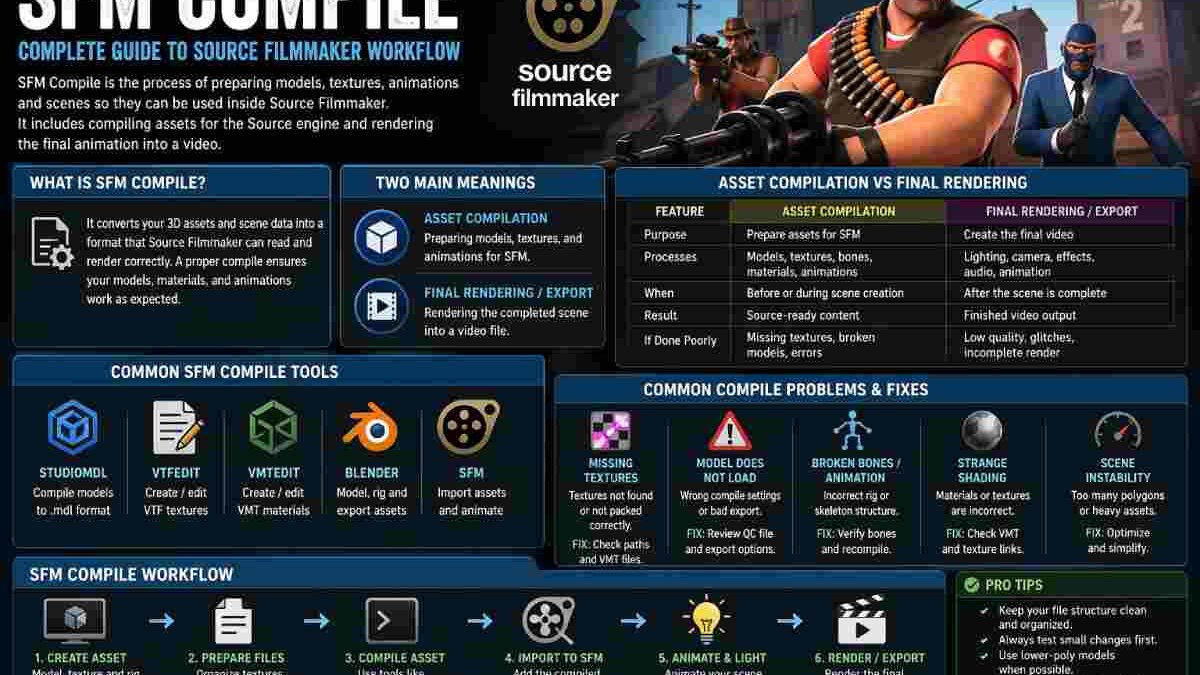
The most people are familiar with the phrase SFM Compile to refer to anything related to preparing a piece of content for Source Filmmaker. Source Filmmaker is an application designed to make animated films within the Source game engine and valve has said to be “using all of the same assets as source-engine games” this means that files can be passed between films and games fairly easily. Basically, SFM Compile just means putting a scene, models, textures, animations etc into an SFM friendly format.
The term compile may sound a bit daunting to some creators however it isn’t that difficult. Compile basically means take the content you have made in a ‘rough’ format, and turn it into an engine-readable format, usually to put in the game in the first place. For source and SFM work that usually means getting some custom model and material files that will then be loadable in the SFM engine.
Table of Contents
Why SFM Compile Matters
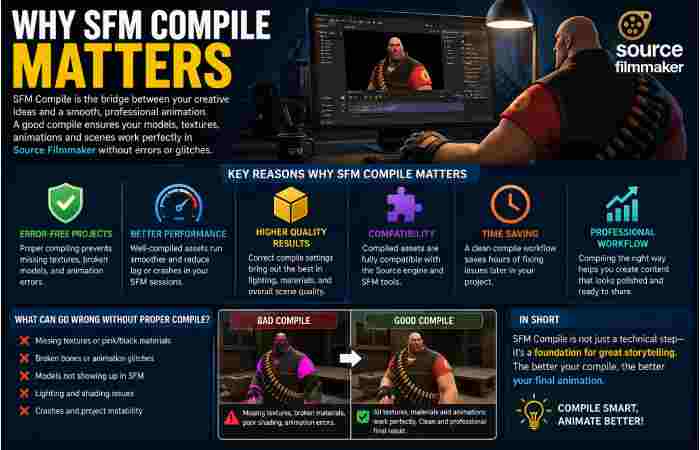
It might appear perfectly fine within a 3D package, however your asset will likely crash within Source Filmmaker if it hasn’t been processed correctly. According to valve, source is most likely to work with source native assets, though custom models can be recompilied to function in SFM.
This is why compile quality is important: it will influence if the model looks right, whether textures are loaded and if the scene is stable to produce. This importance is increased for an animators: in SFM, it’s not just putting a model on a timeline, but also arranging props, materials, light and animation data to produce something that “works” within the scene and which will be stable to produce. A poor compile quality will waste your time and produce a mess.
SFM Compile Definition in Simple Words
What is SFM Compile? It is the conversion and/or preparation of 3D assets or SFM content to allow for adequate usage in the Source SFM workflow. In the Source SFM workflow the term can refer to any asset compilation, scene setup, or rendering style export; but ultimately refers to the preparation of WIP assets for the SFM pipeline.
Two Common Meanings of SFM Compile
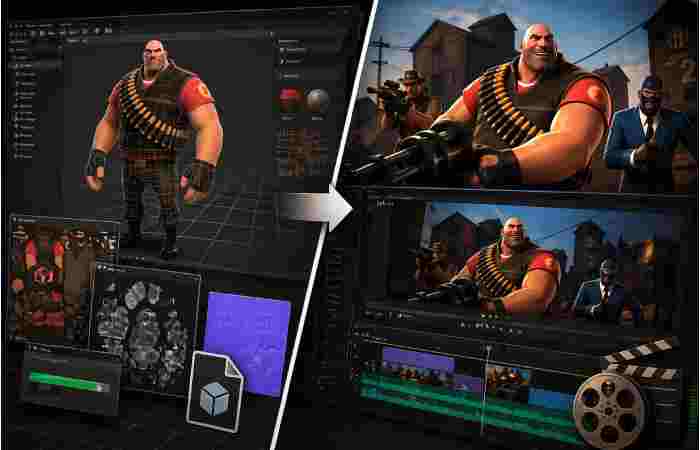
In practice, people use “SFM compile” in two ways. One meaning is asset compilation, where custom models or textures are prepared for Source Filmmaker. The other is final output, where a project is rendered or exported into a finished video. Official Valve pages strongly support the asset side of the workflow, while community guides often use the term more broadly to include rendering and finishing a project. Source Filmmaker Official Website
Comparison Table: Asset Compilation vs Final Rendering
| Aspect | Asset Compilation | Final Rendering / Export |
| Main purpose | Prepare custom models, textures, and animation assets for Source Filmmaker | Turn the finished scene into a playable video file |
| What gets processed | Geometry, materials, bones, textures, and related model data | Lighting, camera work, animation, effects, and audio in the scene |
| When it happens | Before or during asset integration | After the scene is complete |
| Main result | Source-ready content that loads correctly | Final video output for sharing or publishing |
| Common problem if done poorly | Missing textures, broken models, or failed loading | Low-quality output, glitches, or incomplete render results |
| Best use case | Creators importing custom content | Creators delivering the final animation |
This table reflects the two ways the term is commonly used around SFM workflows: one focused on assets, the other focused on finishing the movie. Valve’s documentation clearly supports the asset-compilation side, while broader community guides often use “compile” more loosely for export and rendering.
How SFM Compile Usually Works
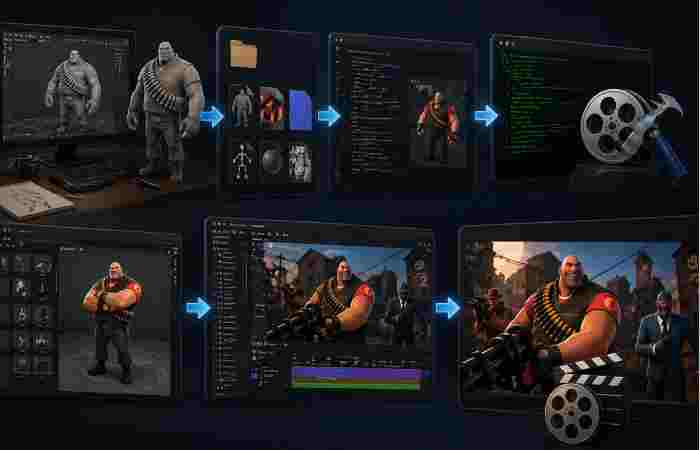
A clean SFM compile workflow starts with the source asset. That might be a model built in a 3D program, a texture file, or a custom animation setup. From there, the asset is prepared for the Source engine environment, which means the model data, materials, and supporting files are arranged so SFM can read them without confusion. Valve’s developer documentation and export tools show that Source content often depends on this structured preparation step.
Once compiled, the asset can be tested inside Source Filmmaker. This is where creators check whether the model appears correctly, whether bones and movement behave as expected, and whether the scene looks the way it should. If something is wrong, the asset usually has to be adjusted and compiled again. That repeat-and-test cycle is a normal part of making polished SFM work.
Common SFM Compile Problems and What They Mean
| Problem | What It Usually Means | Practical Fix |
| Missing textures | The material or texture references were not packed correctly | Recheck texture paths and material setup |
| Model does not load | The asset was not compiled into a Source-readable format | Revisit the export and compile settings |
| Broken bones or animation issues | Skeleton data was not prepared correctly | Verify the rig and bone structure before compiling |
| Strange shading | Material files may be incomplete or mismatched | Review the material definitions and texture links |
| Scene feels unstable | The asset may be too complex or not optimized well | Simplify the model and test again |
These issues are consistent with the Source pipeline’s need for properly structured assets. Valve’s model-creation and export documentation shows that Source content depends heavily on correct preparation, and even small mistakes can stop an asset from loading or behaving properly.
SFM Compile Compared With Similar Workflows
| Workflow | Main Focus | Typical User | Key Strength |
| SFM Compile | Preparing assets or exporting SFM content | Animators and Source creators | Direct fit for Source Filmmaker |
| Traditional 3D rendering | Producing a final image or animation from a 3D scene | General 3D artists | Broad creative control |
| Game asset export | Converting models for a game engine | Modders and game developers | Engine-ready content |
| Video editing export | Finalizing a video for upload | Editors and content creators | Simple publishing workflow |
This comparison shows where SFM Compile fits best. It is not just general rendering, and it is not only game modding. It sits in the middle, where animation meets Source-engine asset preparation. That is why it is especially useful for creators who work with Source Filmmaker and want their work to behave correctly inside that environment.
Why Creators Still Use SFM Today
Even though SFM is an older tool, it still has a loyal community because it gives creators a practical way to make cinematic scenes with Source-based assets. Valve describes it as a movie-making tool built for making films inside the Source engine, and that makes it especially appealing for creators who want to work with familiar game assets and a fast, scene-based workflow.
It is this extensibility which is why SFM still remains relevant. Being able to make anything from short films to memes and scenes and stylistic animations, the creator doesn’t have to remake things all the time. If compile is good, the whole process becomes so much more streamlined as you can reuse your assets, modify and retest more readily.
Best Practices for a Smooth SFM Compile
The best SFM compile results usually come from keeping things organized. Clean file names, proper texture paths, correct model structure, and careful testing can prevent many of the usual problems before they start. Valve’s Source workflow is designed around this kind of consistency, which is why preparation matters so much in the first place.
It also helps to test small changes instead of compiling a huge broken project over and over. A simple habit like checking one model or one texture set at a time can save hours later. In SFM work, patience is not a bonus skill; it is part of the craft.
Final Thoughts
SFM Compile is really about control. It is the bridge between creative assets and a working Source Filmmaker scene. Regardless if you are rigging a model, painting a texture or exporting a scene, the compilation process takes raw data and turns it into something usable, reliable and viewable, For anyone developing for the Source Filmmaker, mastering this phase streamlines the workflow significantly.