
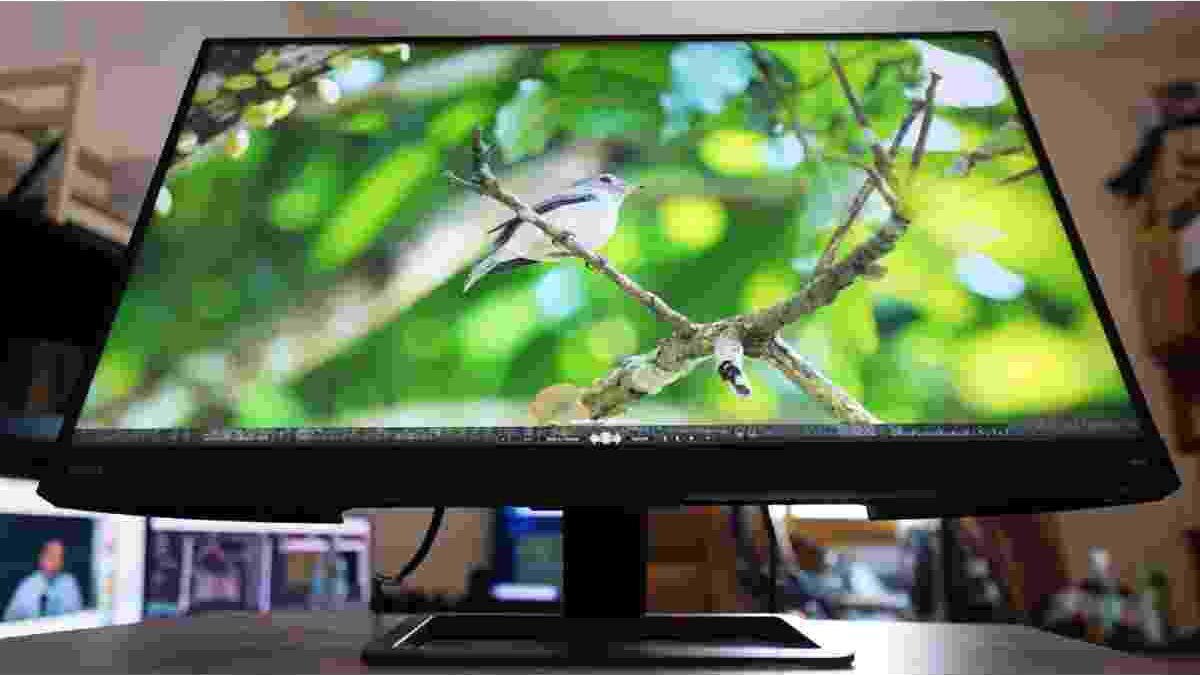
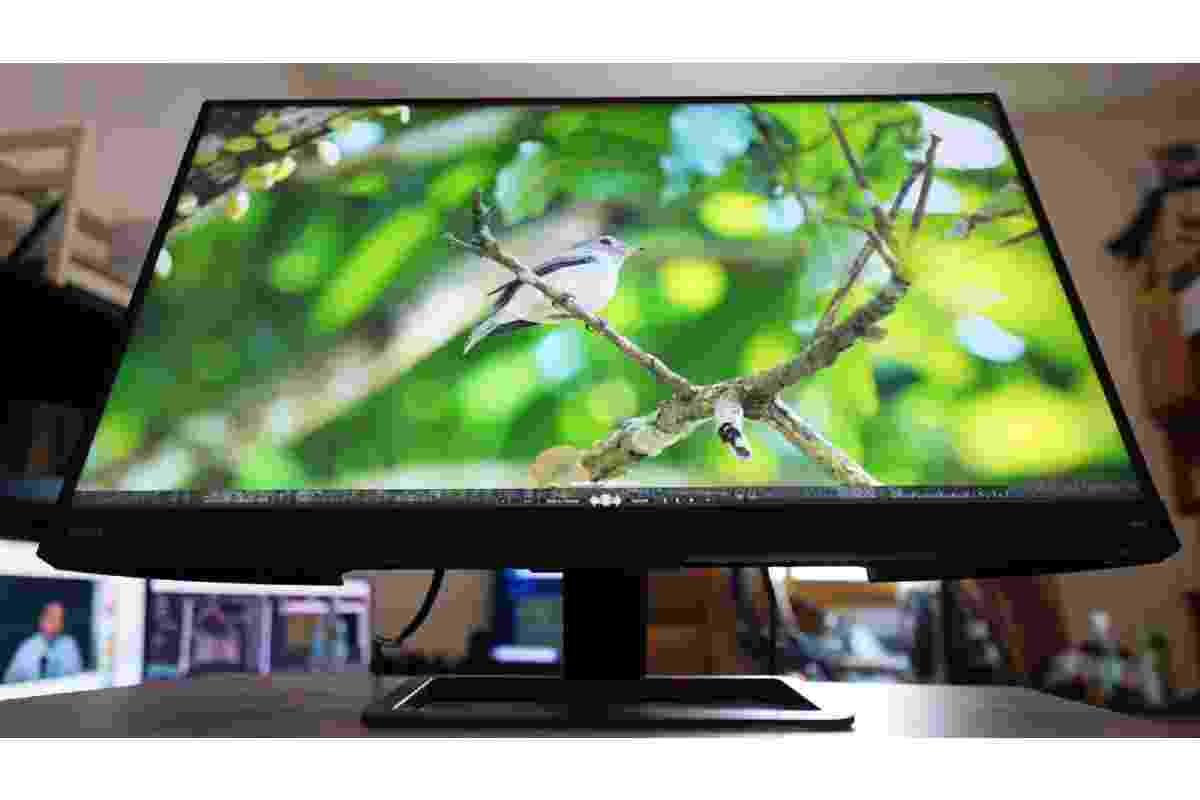
The BenQ EX2780Q is designed for people who want more from a monitor than a fast gaming display. It combines a 27-inch QHD screen, a 144Hz refresh rate, an IPS panel, HDR support, and an integrated 2.1-channel audio system. These features make it suitable for gaming, watching films, browsing the web, and handling everyday creative work without needing several separate devices.
Its appeal lies in this combination of performance and convenience. The monitor includes a remote control, multiple picture modes, USB-C connectivity, and sound features that are uncommon in many gaming displays. However, it also has limitations, particularly its basic stand adjustments and entry-level HDR performance.
In this review, we examine the BenQ EX2780Q’s design, display quality, gaming capabilities, sound, connectivity, and suitability for work and entertainment to help you decide whether it meets your needs.
Table of Contents
BenQ EX2780Q Monitor: Design and Build Quality
The BenQ EX2780Q uses a restrained design that combines dark finishes with subtle brown or copper accents. Unlike gaming monitors covered in bright colours and decorative lighting, it has a relatively understated appearance. This makes it suitable for a gaming desk, home office, or living room.
Its narrow display bezels give the screen a modern look and help the monitor feel less bulky. The construction combines plastic components with a sturdy stand, creating a solid overall impression. The design prioritises practicality rather than aggressive gaming aesthetics.
The integrated speaker bar sits beneath the display. This arrangement keeps the speakers accessible without requiring additional desktop space for separate audio equipment. Although the finish around some speaker openings may not look perfectly uniform, the overall build is functional and attractive.
One important consideration is ergonomics. The supplied stand supports tilt adjustment, but it does not provide the full range of height, swivel, and pivot adjustments available on some competing monitors. Users who need a precise viewing position may prefer a compatible VESA monitor arm or replacement stand.
For a comfortable setup, position the screen so that its upper edge is around eye level and the viewing distance feels natural. Good positioning can make long gaming and work sessions more comfortable.
Display Quality: QHD Resolution and IPS Technology
The EX2780Q features a 27-inch IPS display with a maximum resolution of 2560 × 1440 pixels, commonly called QHD or 1440p. This resolution offers more workspace and sharper detail than Full HD at the same screen size.
The higher pixel count is useful for gaming, video playback, and productivity. Games can display detailed environments, while documents, browser windows, and editing timelines have more room on the desktop. IPS technology also provides wide viewing angles, helping colours remain reasonably consistent when viewed from different positions.
BenQ specifies a typical brightness of 350 nits, with peak HDR brightness reaching 400 nits. The monitor also supports a 144Hz refresh rate and a 5ms grey-to-grey response-time specification. These features make it a versatile display for both entertainment and everyday work.
Colour reproduction is another strength. The monitor is rated for approximately 95% DCI-P3 colour-gamut coverage, making it capable of displaying a broad range of colours for games and video content. Its matte screen coating also helps reduce distracting reflections in many lighting conditions.
However, a wide colour gamut does not automatically guarantee perfect colour accuracy. Professional work still benefits from calibration and the correct colour profile. Users creating content for standard web displays should check how their images appear in sRGB rather than relying only on the monitor’s most vivid picture mode.
HDR and HDRi: What Should You Expect?
The BenQ EX2780Q supports HDR10 and carries VESA DisplayHDR 400 certification. It also includes BenQ’s HDRi technology, which adjusts the viewing experience using picture processing and ambient-light information.
It is important to distinguish these features. HDR10 is an HDR content format, DisplayHDR 400 is a display certification, and HDRi is BenQ’s own image-processing feature. They are related, but they are not interchangeable terms.
HDR content can provide brighter highlights and a wider range of visible tones when the display and source are compatible. HDRi can further adjust the image to improve its appearance in different viewing conditions.
Nevertheless, the EX2780Q should not be mistaken for a high-end HDR monitor. Its 400-nit peak brightness and conventional IPS contrast performance limit how dramatic HDR effects can look, especially in dark scenes. It does not offer the deep blacks and precise highlight control associated with more advanced local-dimming or OLED displays.
For everyday use, HDRi may make some content look more vibrant, but the result depends on the source material and your preferences. Compare the available modes rather than assuming that an HDR setting will improve every image.
Gaming Performance: 144Hz, FreeSync, and G-Sync Compatibility
Gaming is one of the EX2780Q’s main strengths. Its QHD resolution delivers detailed visuals, while the 144Hz refresh rate allows it to display motion more smoothly than a traditional 60Hz monitor when the computer supplies enough frames per second.
The difference is particularly noticeable in fast-paced games. Camera movement can appear smoother, and responsive gameplay can feel more immediate. However, the refresh rate does not guarantee that every game will run at 144 frames per second. Performance depends on the graphics card, processor, game settings, and the demands of each title.
The monitor supports AMD FreeSync, which synchronises the display’s refresh rate with compatible graphics hardware to reduce screen tearing and stuttering when frame rates fluctuate. It can also work with NVIDIA graphics cards using G-Sync Compatible functionality, although compatibility and available refresh-rate behaviour depend on the graphics card, driver, connection, and configuration.
The QHD resolution requires more graphics processing power than Full HD. Players using older or entry-level graphics cards may need to reduce demanding settings to maintain smooth performance. Reducing a few effects can be a sensible compromise when the priority is consistent frame delivery.
The EX2780Q also provides gaming picture modes and on-screen settings for adjusting the image. These controls are useful when moving between different genres, although the best configuration is subjective.
Overall, it is a capable choice for players who want a balance between sharp visuals and high refresh rates rather than prioritising 4K resolution alone.
Built-In Sound: A Useful Advantage
Many monitors include speakers primarily for basic audio, but the EX2780Q places greater emphasis on sound. Its integrated 2.1-channel treVolo audio system combines two 2W speakers with a 5W subwoofer.
This arrangement provides fuller sound than many basic monitor speakers. Dialogue, game effects, and everyday video audio can be easier to hear, while the subwoofer adds some bass presence. For watching films, streaming videos, attending online meetings, or playing casually, the built-in system can reduce the need for separate desktop speakers.
The monitor also offers sound modes and straightforward volume adjustment. A physical volume control makes quick changes convenient, while the included remote lets users adjust settings without reaching behind the display.
There are still limits. The built-in system cannot reproduce the depth, separation, or overall output of a good dedicated speaker setup. Bass performance is also limited by the size of the integrated components. Competitive gamers may prefer a headset for precise positional audio and communication.
Even so, the integrated sound is a valuable feature for users who want a clean desk and a practical all-in-one entertainment setup.
Operating the Monitor: Remote Control and On-Screen Settings
The EX2780Q provides physical controls on the monitor for navigating its on-screen display. These include menu controls and a navigation joystick, allowing users to change picture settings, select inputs, and adjust other functions.
The included remote control is particularly convenient. It makes it easier to change volume, switch picture modes, and navigate settings while sitting back to watch a film or play a game. Users who frequently switch between work and entertainment may appreciate not having to reach for the monitor each time.
The available controls also help users customise the display for different tasks. A gaming profile may prioritise visibility and responsiveness, while a more neutral picture mode can be preferable for documents or colour-sensitive work.
Take time to learn the main settings when you first install the monitor. Correct brightness, colour temperature, and input selection can improve the experience without requiring constant adjustments later.
Connectivity and Everyday Compatibility
The BenQ EX2780Q includes two HDMI 2.0 ports, a DisplayPort connection, and USB-C with DisplayPort Alternate Mode and up to 10W power delivery. It also provides a headphone output.
This selection makes it possible to connect compatible desktop computers, laptops, and supported gaming devices. Multiple HDMI inputs can be useful if you want to keep more than one device connected, such as a computer and a console.
USB-C is convenient for compatible laptops because it can carry video and provide limited power through one cable. However, the 10W power-delivery rating is modest. It should not be assumed to replace a laptop’s main charger, especially for a power-hungry notebook. Confirm that your computer supports video output over USB-C before relying on this connection.
Users who also maintain large collections of games, video files, or creative projects should plan storage separately from their display setup. A guide to using an external hard drive can help explain storage options for keeping files organised, although a monitor itself does not increase a computer’s storage capacity.
Before buying, check the ports available on your computer or console and confirm which cable supports your desired resolution and refresh rate. Using the correct connection is essential to getting the best experience from the display.
Photo Editing, Video Editing, and Productivity
The EX2780Q can serve as a general-purpose work monitor as well as a gaming display. Its 27-inch QHD screen provides space for multiple windows, while the IPS panel and wide colour gamut make photographs and video content look vibrant.
For casual photo editing, social media graphics, video projects, and hobbyist content creation, the display offers useful capabilities. A larger workspace can make editing timelines easier to manage, and QHD resolution helps keep interface elements and image details clear.
However, colour-sensitive work requires more care. A wide colour gamut is not the same as calibrated accuracy, and the monitor’s default settings may not be suitable for every professional workflow. If you produce images for the web, use an appropriate sRGB workflow and check your results on other displays where possible.
The stand is another practical limitation for productivity. Height adjustment can be especially helpful when working for long periods, so a compatible monitor arm may be worth considering if your desk setup requires more flexibility.
Laptop users should also consider the computer’s own capabilities. For example, people comparing an ASUS VivoBook laptop should check its graphics hardware, USB-C video-output support, and available ports before pairing it with a QHD 144Hz monitor.
The EX2780Q is therefore suitable for mixed creative work, but professional photographers and video editors with strict calibration requirements may want a display designed specifically for colour-critical production.
Students who use their computers for assignments and creative projects may also need a reliable printer for everyday coursework. This guide to printers for college can help students explore suitable printing options for documents, notes, and study materials.
Watching Films and Streaming Online
The EX2780Q is well suited to everyday entertainment. Its 27-inch screen offers a comfortable viewing area for films, television shows, and online videos without requiring a separate television.
The QHD resolution provides detailed images, and the IPS panel offers useful viewing angles when more than one person is watching. The integrated speakers are also a practical advantage for streaming, since users can listen to dialogue without connecting external audio equipment.
Picture modes and HDRi settings can change how content appears, but the best result depends on the video itself. Standard dynamic-range content may look more saturated with certain enhancements, while HDR content requires a compatible source and suitable settings.
For late-night viewing, adjust the brightness to suit the room instead of leaving the screen at its maximum setting. A comfortable image is often more useful than an excessively bright one, especially during long sessions.
The monitor’s sound and remote control make this experience convenient, although users seeking a larger cinematic picture or deeper HDR performance may prefer a dedicated television or a higher-end display.
Is the BenQ EX2780Q Worth Buying?
The EX2780Q makes the most sense for users who want a monitor that can handle several tasks well. It combines a high-refresh-rate gaming display with integrated sound, useful connectivity, and features for everyday productivity.
Its main advantages include:
- QHD resolution with a 144Hz refresh rate.
- IPS technology and wide viewing angles.
- A broad colour gamut for games and media.
- FreeSync support and G-Sync Compatible operation with suitable hardware.
- Integrated 2.1-channel sound with a subwoofer.
- Remote control and multiple picture settings.
- HDMI, DisplayPort, and USB-C connectivity.
Its main limitations include:
- HDR performance that is more modest than higher-end HDR displays.
- Limited stand adjustment, particularly the lack of built-in height adjustment.
- Integrated speakers that cannot fully replace a dedicated audio system.
- A 1440p resolution that demands more graphics power than Full HD.
- USB-C power delivery that may be insufficient for charging many laptops during use.
The monitor is less suitable for buyers whose main priorities are deep OLED-like blacks, advanced HDR, or extensive ergonomic adjustment straight out of the box. It is also worth checking current availability and pricing, as the EX2780Q is an older model and competing displays may offer newer features at similar prices.
Final Verdict
The BenQ EX2780Q remains an appealing all-round monitor for gaming and entertainment. Its combination of 27-inch QHD resolution, 144Hz refresh rate, IPS viewing angles, and useful built-in audio makes it more versatile than a display designed solely for gaming.
Its strongest qualities are convenience and balance. The remote control simplifies operation, the speakers reduce desk clutter, and the display provides enough detail and colour for everyday creative tasks. FreeSync and compatible NVIDIA operation also help deliver smoother gameplay when paired with suitable hardware.
However, its HDR capabilities should be viewed realistically, and the limited stand adjustment may require an additional accessory for a more ergonomic workstation. Professional colour work may also call for calibration or a specialised display.
If your priority is a single monitor for gaming, films, browsing, and general productivity, the EX2780Q offers a well-rounded feature set. Before purchasing, compare its current price with newer QHD gaming monitors and make sure its connectivity, ergonomics, and HDR performance match your needs.