

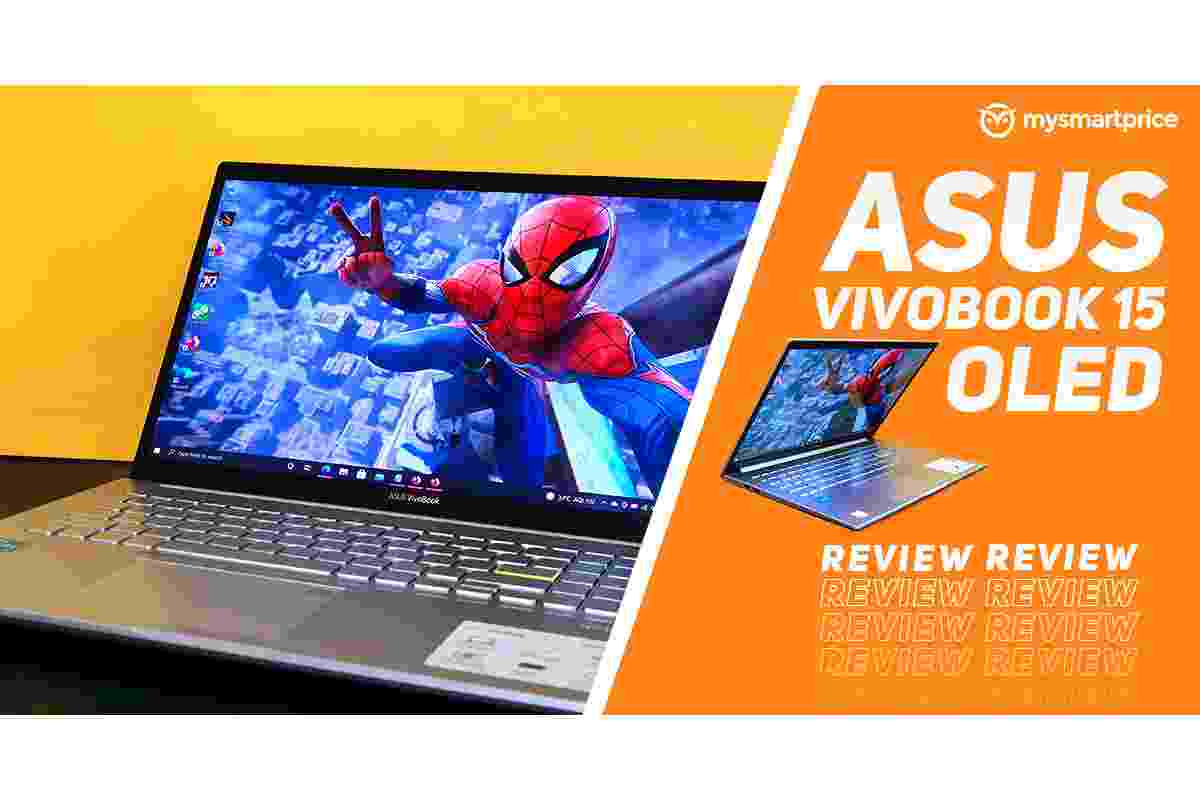
The ASUS VivoBook S15 S532F is a slim 15.6-inch laptop designed for users who want a balance between portability, everyday performance, and modern features. Introduced in 2019, this VivoBook generation attracted attention because of its ScreenPad 2.0 technology, which turns the traditional touchpad into a small interactive touchscreen. Instead of using the touchpad only to move a cursor, users can run compatible tools, access shortcuts, and interact with selected applications directly on its surface.
The laptop combines a Full HD display, a compact design, a comfortable keyboard layout, and hardware options that include Intel Core i5 and Core i7 processors. However, its actual performance depends on the specific configuration. The Core i5-8265U version, for example, is designed primarily for everyday computing rather than demanding gaming or professional creative workloads.
This review explores the ASUS VivoBook S15 S532F’s design, display, ScreenPad 2.0, performance, connectivity, battery life, and practical limitations to help you understand whether it remains a sensible option for your needs.
Table of Contents
ASUS VivoBook S15 S532F: Design and Build Quality
The VivoBook S15 S532F has a modern, understated design with slim display bezels and a relatively lightweight chassis for a 15.6-inch laptop. ASUS offered several colour options, including Transparent Silver, Punk Pink, and Moss Green. These finishes give users more choice than the standard silver and black designs common among traditional notebooks.
The laptop combines metal and plastic components. Depending on the configuration and finish, the lid and keyboard area feature metallic construction, while the underside uses plastic. This combination helps balance appearance, weight, and cost. The overall design feels more premium than a basic budget laptop, although the lid can flex under pressure.
Measuring approximately 357 mm wide and 18 mm thick, the VivoBook S15 is reasonably portable for a full-size notebook. Its weight of around 1.8 kg makes it practical for commuting between home, college, and the office. However, users who travel frequently may find a smaller 13-inch or 14-inch laptop easier to carry.
One distinctive feature is the ErgoLift hinge. When the lid opens, the hinge raises the rear of the laptop slightly, creating an angled typing position. This can make the keyboard feel more comfortable and leaves some additional space beneath the chassis for airflow. However, the benefit depends on your desk and typing position.
Overall, the S532F offers an attractive design for everyday users who want a larger screen without carrying an especially bulky laptop.
NanoEdge Display: Full HD Resolution and Viewing Experience
The VivoBook S15 S532F features a 15.6-inch Full HD display with a resolution of 1920 × 1080 pixels. Its IPS-level panel technology provides wider viewing angles than many basic TN displays, making it suitable for browsing, office documents, online classes, and video playback.
The NanoEdge design reduces the bezels around the screen, giving the laptop a contemporary appearance and allowing the display to occupy a large portion of the lid. The matte finish also helps reduce reflections in brightly lit rooms, which can be useful when working near windows or under overhead lights.
However, display quality is one area where buyers should set realistic expectations. The panel’s typical brightness is around 250 nits, depending on the configuration, so it may struggle in very bright environments. Colour reproduction is also more appropriate for everyday use than demanding professional photo or video editing.
For documents, web pages, spreadsheets, and presentations, the resolution provides a clear working area. Films and online videos look satisfactory, although users who prioritise vivid colours or highly accurate image reproduction may prefer a laptop with a better-quality display.
Before buying a used or refurbished S532F, inspect the screen carefully. Look for dead pixels, uneven brightness, pressure marks, and backlight issues. These checks are especially important on an older laptop because display condition can vary considerably between individual units.
ScreenPad 2.0: The Laptop’s Most Distinctive Feature
The most unusual feature of the ASUS VivoBook S15 S532F is ScreenPad 2.0. Instead of a conventional touchpad, ASUS integrates a 5.65-inch touchscreen that can function as a touchpad, shortcut panel, or secondary display.
The ScreenPad has a resolution of 2160 × 1080 pixels and supports touch gestures. Its software provides access to selected tools, including quick shortcuts and productivity features. Depending on software support and configuration, users can also move compatible application windows onto the smaller display.
For example, you might keep a calculator, music controls, or a supported shortcut panel on the ScreenPad while working on a document on the main display. Spreadsheet users may appreciate quick access to frequently used commands, while people who work with multiple applications can experiment with placing secondary tools on the smaller screen.
The concept is useful, but it is not essential for everyone. The small display has limited space, and some applications are less comfortable to use there than on the main screen. The interface also takes time to learn, particularly for people who are accustomed to a traditional touchpad.
Another consideration is that the ScreenPad serves two purposes. When you need ordinary cursor control, you must ensure that it is operating in the appropriate touchpad mode. Although this flexibility adds functionality, it can occasionally feel less straightforward than a conventional touchpad.
The ScreenPad 2.0 is therefore best viewed as a productivity extra rather than a reason on its own to buy the laptop. It offers something different, but its usefulness depends on your daily workflow.
Processor and Everyday Performance
The Core i5-8265U configuration uses an eighth-generation Intel processor with four cores and eight threads. It was designed for thin laptops that prioritise a balance between everyday performance and power consumption.
For routine tasks, the processor remains capable of handling web browsing, word processing, email, online meetings, spreadsheets, and light multitasking. It can also run older desktop applications and common productivity software, provided the laptop has sufficient memory and its software remains compatible.
The Core i7 configurations can offer better performance in some workloads, but the processor name alone does not tell the whole story. Cooling, memory, storage, and the specific software being used all influence the overall experience.
The S532F was also offered with different graphics configurations. Some models use integrated Intel UHD graphics, while certain versions include an NVIDIA GeForce MX250 discrete GPU. These configurations should not be treated as identical: the MX250 can help with selected graphics tasks and lighter games, but it is not comparable to a modern high-performance gaming GPU.
The laptop is not designed for demanding 3D rendering, intensive modern gaming, or heavy professional video editing. Users who need those capabilities should compare newer systems with more powerful processors and graphics hardware.
For general computing, however, a well-maintained S532F with an SSD and sufficient RAM can still provide a practical experience.
Memory, Storage, and Upgrade Considerations
The ASUS VivoBook S15 S532F was sold with different combinations of memory and solid-state storage. Depending on the version, configurations included 8GB, 12GB, or 16GB of RAM and SSD capacities ranging from 256GB to 1TB.
An SSD helps the laptop start Windows, open applications, and access files more quickly than a traditional mechanical hard drive. For everyday use, this can make a noticeable difference in responsiveness.
Storage needs vary depending on how you use the computer. Students who mainly save documents and presentations may be comfortable with a smaller SSD, while users who store large media libraries, games, or project files may need additional space.
An external hard drive can provide a practical way to keep backups, photos, videos, and other large files without immediately replacing the internal SSD. Before choosing one, check the laptop’s available USB ports and the drive’s connection requirements.
The S532F also has configuration-specific upgrade limitations. Some memory is soldered to the motherboard, so the amount of RAM you can add depends on the original model. Certain versions provide an additional M.2 storage slot, but compatibility should be confirmed before purchasing an SSD.
If you plan to upgrade the laptop, identify its exact model number and current hardware first. Do not assume that every VivoBook S15 S532F supports the same memory capacity or storage arrangement.
It is also important to understand that extremely large storage figures do not automatically translate into compatibility. A 1 petabyte hard drive represents a theoretical or specialised high-capacity storage category far beyond what most personal laptops need. For everyday users, a conventional external drive or a suitably sized SSD is generally much more practical.
Keyboard, Touchpad, and Everyday Comfort
The VivoBook S15 S532F includes a full-size keyboard with a number pad, which is helpful for people who regularly work with spreadsheets, financial information, or numerical data. The keyboard also features backlighting on supported configurations, making the keys easier to see in dim environments.
Key travel and feedback are suitable for routine typing, although the experience is subjective. Some users may prefer a firmer keyboard, while others will appreciate the layout and dedicated number pad.
The ErgoLift hinge slightly changes the typing angle by raising the rear of the base. This can make the keyboard position feel more natural, but it does not replace proper desk ergonomics.
The ScreenPad is the main difference between this laptop and one with a standard touchpad. Users who enjoy experimenting with shortcuts may find it helpful, but people who rely heavily on precise cursor control may prefer to keep it in traditional touchpad mode.
If possible, test the keyboard and ScreenPad before purchasing a second-hand unit. Check that all keys respond consistently, touch gestures work properly, and the ScreenPad does not freeze or register unintended input.
Ports and Wireless Connectivity
The S532F provides a useful selection of connections for everyday devices. Depending on the configuration, the port selection includes USB Type-A, USB Type-C, HDMI, a 3.5mm audio jack, and a microSD card reader.
HDMI makes it possible to connect the laptop to a compatible external monitor or projector. This can be useful for presentations, home-office work, or extending the desktop across two screens.
However, the USB ports do not all offer the same transfer speeds. The laptop includes a combination of faster USB 3.1 Gen 1 ports and USB 2.0 ports. Users connecting external SSDs, storage drives, or other high-speed devices should check which port they are using.
USB-C also needs careful consideration. Its presence does not automatically mean that the laptop supports charging through that port. Check the specifications for the exact S532F configuration before expecting it to charge the laptop or provide every USB-C feature.
Wireless connectivity varies by model, with Wi-Fi and Bluetooth specifications depending on the configuration. If you are buying a used laptop, confirm that Wi-Fi, Bluetooth, HDMI, and each USB port function correctly.
Battery Life and Cooling Performance
The VivoBook S15 S532F uses a battery rated at approximately 42Wh. ASUS advertised fast charging on supported configurations, with the ability to reach around 60% charge in approximately 49 minutes under specified conditions.
Actual battery life depends on several factors, including screen brightness, processor workload, Wi-Fi use, battery age, and whether ScreenPad 2.0 is active. Light browsing and document editing generally require less power than video editing, gaming, or running several demanding applications simultaneously.
Because the S532F is an older laptop generation, the condition of the battery is particularly important when buying used. A battery that has experienced years of charging cycles may provide considerably less runtime than it did when new.
The ErgoLift hinge raises the rear of the chassis, creating additional space beneath the laptop. The internal cooling system then manages heat through its fan and ventilation openings. For everyday workloads, the system is designed to provide balanced performance without excessive noise, although demanding tasks can increase fan activity and surface temperatures.
Keep the ventilation openings clear and avoid using the laptop on soft surfaces that can obstruct airflow. If the device becomes unusually hot, shuts down unexpectedly, or makes persistent abnormal fan noises, check its condition before relying on it for daily work.
Is the ASUS VivoBook S15 S532F Suitable for Students?
The S532F can be a useful laptop for students who need a large screen, a number pad, and enough performance for everyday study. It can handle document creation, web research, presentations, online learning, and routine spreadsheet work.
ScreenPad 2.0 may also help users who enjoy using shortcuts or keeping selected tools accessible while studying. However, it should not be assumed to improve every workflow. Many students will be perfectly comfortable with a conventional touchpad.
Printing is another common part of academic work. Students preparing assignments, notes, and project documents may also want to compare printers for college when organising a study setup. Printer choice is separate from laptop performance, but checking wireless compatibility, paper handling, and running costs can help create a more useful workspace.
The S532F is less suitable for students whose courses require modern 3D software, demanding engineering applications, advanced video production, or intensive programming workloads that benefit from newer processors and more memory. In those cases, compare the software’s minimum and recommended requirements before purchasing.
Advantages and Limitations
The ASUS VivoBook S15 S532F offers several practical strengths:
- Slim design for a 15.6-inch laptop.
- Full HD display with narrow bezels.
- ScreenPad 2.0 for shortcuts and selected multitasking tasks.
- Keyboard with a number pad.
- SSD storage for responsive everyday use.
- Multiple processor and storage configurations.
- HDMI and a selection of USB ports.
There are also limitations to consider:
- The display brightness and colour performance are modest by current standards.
- ScreenPad 2.0 has a learning curve and may not suit every user.
- Integrated graphics are not intended for demanding modern games.
- Memory upgrades depend on the exact configuration.
- Battery capacity and condition can limit portability, especially on older units.
- USB-C functionality and port speeds should be checked before connecting accessories.
These trade-offs make the laptop more suitable for general productivity than for specialist creative or high-performance tasks.
Final Verdict
The ASUS VivoBook S15 S532F was an interesting addition to the VivoBook range because it combined a portable 15.6-inch design with ScreenPad 2.0. Its Full HD display, comfortable-sized keyboard, SSD storage, and everyday performance make it a reasonable option for routine work, study, browsing, and entertainment.
Its strongest feature is the secondary touchscreen built into the touchpad. This provides extra shortcuts and multitasking possibilities, although it takes time to learn and may not be useful to every owner.
The main limitations are its modest display capabilities, configuration-dependent upgrade options, and older processor and graphics technology. Buyers considering a used unit should also inspect the battery, screen, keyboard, cooling system, and ScreenPad carefully.
Ultimately, the VivoBook S15 S532F makes the most sense when its price reflects its age and condition. Choose it for everyday computing and its distinctive ScreenPad experience, but consider a newer laptop if you need longer battery life, stronger graphics, a brighter display, or better support for demanding software.