
Table of Contents
Introduction to Lenovo Explorer
Virtual reality and mixed reality have changed how people experience digital entertainment. Instead of viewing everything on a traditional computer screen, users can enter virtual environments, explore digital spaces, and interact with virtual objects.
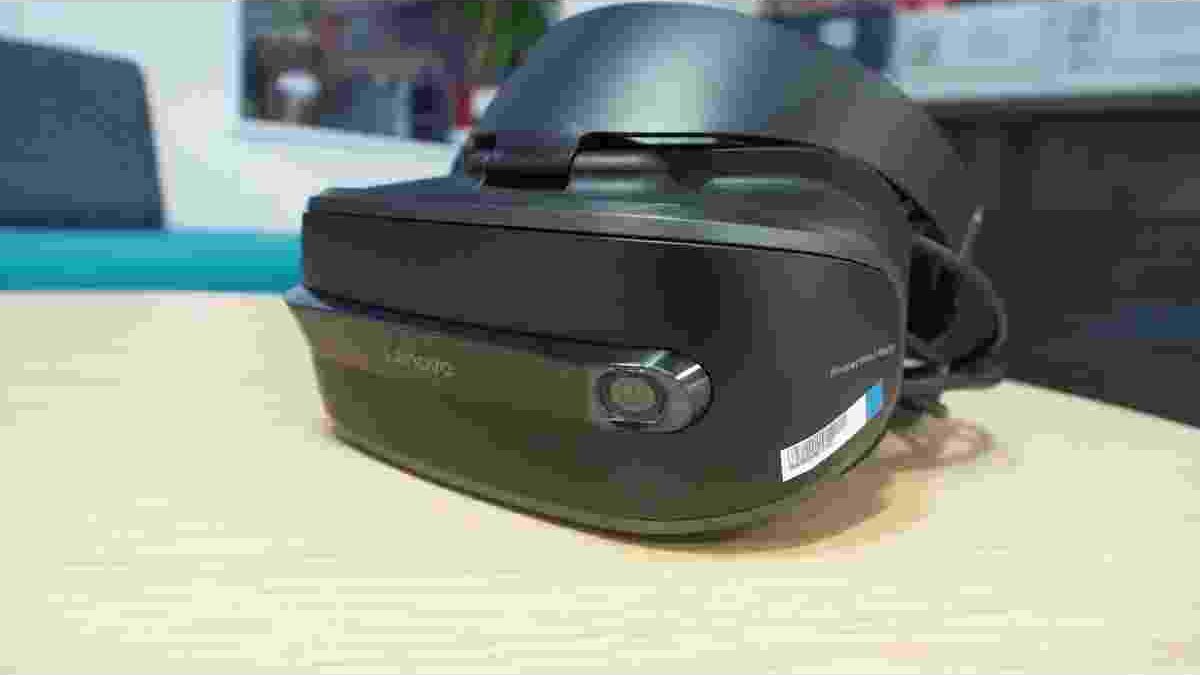
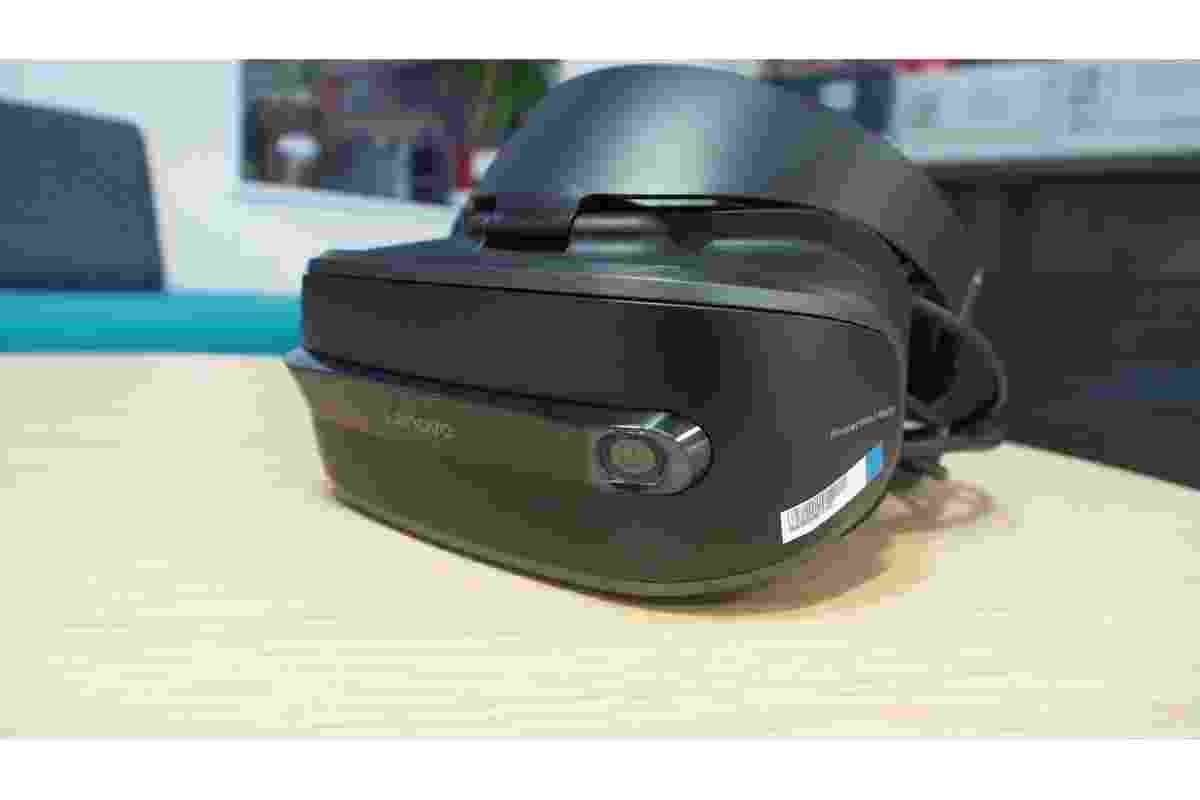
The Lenovo Explorer is a Windows Mixed Reality headset designed for PC-based immersive experiences. It allows users to explore virtual environments, play compatible games, watch videos, and use supported applications in a virtual space.
The headset features a lightweight design, built-in tracking cameras, and a straightforward connection to a compatible computer. However, its software compatibility has changed over time. Anyone considering this device today should understand both its original features and Microsoft’s current Windows Mixed Reality support limitations.
Lenovo Explorer Features and Design
Lenovo designed the Explorer headset to make mixed reality more accessible to PC users. Its iron-grey finish and ergonomic construction give it a simple appearance, while the front display provides an immersive viewing experience.
Some of its main specifications include:
- Weight: Approximately 380 grams.
- Display resolution: 2880 × 1440 pixels across two displays.
- Refresh rate: Up to 90Hz.
- Field of view: Approximately 110 degrees.
- Tracking: Built-in inside-out tracking cameras.
- Connectivity: HDMI and USB 3.0.
- Audio: 3.5mm audio connection.
Specifications and included accessories may vary by model or regional package. Lenovo’s official Explorer overview provides additional product information.
Windows Mixed Reality and PC Compatibility
Lenovo Explorer was developed for Microsoft’s Windows Mixed Reality platform. This software allowed compatible computers to run immersive applications and virtual environments.
Users could access supported games, entertainment experiences, and productivity tools. Some applications also allowed users to arrange virtual screens and interact with digital content in a three-dimensional environment.
Modern technology also relies on specialised hardware to support professional and creative activities. For example, the Blackmagic Design ATEM Mini Extreme guide explains how an advanced video switcher connects multiple HDMI sources for live streaming and video production. Like Lenovo Explorer, this device demonstrates how dedicated hardware can expand the capabilities of a computer-based setup.
However, PC compatibility was an important requirement. A suitable computer needed compatible graphics hardware, processor performance, USB connectivity, and video output.
There is also an important current limitation. Microsoft removed Windows Mixed Reality from Windows 11 version 24H2 and later. Its support guidance identifies Windows 10 version 20H2 through Windows 11 version 23H2 as the supported range for Windows Mixed Reality devices. Existing setups on Windows 11 version 23H2 had a limited continuation period through November 2026. <Cite refs={[“turn805401search0″,”turn805401search1″,”turn805401search2”]}/>
This means buyers should not assume that Lenovo Explorer will work with a modern Windows computer simply because it has compatible HDMI and USB ports.
Lightweight Design and Wearing Comfort
Comfort is important when using a virtual reality headset for extended periods. A heavy or poorly balanced headset can become uncomfortable during longer sessions.
Lenovo Explorer weighs approximately 380 grams, making it relatively lightweight compared with many older PC-based headsets. Its ergonomic design helps distribute weight across the user’s head.
The front section can also be lifted without completely removing the headset. This is useful when users need to look at their surroundings or briefly switch between the physical and virtual environments.
However, comfort varies from person to person. Head shape, strap adjustment, glasses, and session length can all affect the experience.
Virtual Exploration, Gaming and Entertainment
One of Lenovo Explorer’s main attractions was its ability to place users inside virtual environments. Compatible applications could offer virtual travel, interactive experiences, digital cinemas, and games.
Users could explore simulated locations, view 360-degree content, and interact with objects through supported motion controllers.
Gaming was another important use. The headset supported compatible Windows Mixed Reality and SteamVR experiences when the required software and hardware were available.
For readers interested in other gaming software, our guide to the fastest emulator to play NieR Reincarnation explores how hardware and software compatibility can affect gaming performance. Emulators and mixed reality headsets serve different purposes, but both depend on suitable system requirements.
Easy Setup and Inside-Out Tracking
Traditional virtual reality systems sometimes require external sensors placed around a room. Lenovo Explorer used inside-out tracking cameras built into the headset instead.
This approach made the original setup process simpler because users did not need to install separate tracking sensors around their play area.
The basic connection process involved:
- Checking whether the computer met the required specifications.
- Connecting the headset’s video cable to a compatible HDMI or DisplayPort connection.
- Connecting the USB cable to a USB 3.0 port.
- Installing and configuring the supported Windows Mixed Reality software.
- Setting up the room boundary and compatible controllers.
Motion controllers were recommended for more natural interaction, although supported experiences could also use a keyboard, mouse, or compatible game controller.
Simple hardware installation does not guarantee that the software will work on a current Windows version. The operating system and Mixed Reality platform must also be compatible.
Motion Controllers and Productivity Features
Lenovo Explorer could be used with compatible Windows Mixed Reality motion controllers. These controllers allowed users to point, select, move objects, and interact with virtual environments.
Other input options included:
- Keyboard and mouse: Useful for typing, navigation, and supported productivity applications.
- Xbox controller: Suitable for compatible games and navigation.
- Motion controllers: Designed for interaction with virtual objects and menus.
- Voice input: Supported through compatible Windows features and applications.
The available controls depended on the application and software configuration. Not every feature worked in every virtual environment.
Display Comfort and Everyday Digital Experiences
A comfortable digital experience depends on more than the headset itself. Screen brightness, visual settings, session length, and personal preferences can all affect how people use technology.
For example, our guide to Facebook Dark Mode explains how dark appearance settings can change the look of a familiar application. Although Facebook Dark Mode is unrelated to virtual reality hardware, it is another example of how display preferences influence everyday digital experiences.
For VR users, taking regular breaks and adjusting the headset correctly can also make longer sessions more comfortable.
Is Lenovo Explorer Worth Considering Today?
Lenovo Explorer introduced useful features for PC-based mixed reality, including inside-out tracking, motion controller support, and a lightweight design.
However, its current software limitations are significant. Windows Mixed Reality is not supported on Windows 11 version 24H2 or later. Microsoft also states that support and updates for existing Windows Mixed Reality installations on Windows 11 version 23H2 end after November 2026. <Cite refs={[“turn805401search0″,”turn805401search1”]}/>
Before purchasing a used headset, consider these points:
- Check the exact Windows version on the intended computer.
- Confirm that the required Mixed Reality software is already available.
- Verify that the headset, controllers, and cables are included and working.
- Check whether the PC meets the original hardware requirements.
- Understand that newer Windows versions do not officially support the Windows Mixed Reality platform.
For someone who already owns a working setup, the headset may still have value within a compatible legacy environment. However, it is not a straightforward choice for someone building a new Windows 11 VR system.
Conclusion
Lenovo Explorer was designed to make PC-based mixed reality easier to access. Its lightweight construction, built-in tracking cameras, and support for compatible controllers helped users explore virtual environments, play games, and interact with digital content.
However, its long-term usefulness now depends heavily on software compatibility. Microsoft’s removal of Windows Mixed Reality from Windows 11 version 24H2 and later makes operating system support a major consideration.
Anyone who owns or plans to buy Lenovo Explorer should check the computer, software version, accessories, and support limitations before investing in the headset.