
Table of Contents
Alienware Aurora R9 Review: Design, Gaming Performance, Specifications, and Upgrade Options
The Alienware Aurora R9 is a gaming desktop that combines powerful hardware with a distinctive futuristic design. Introduced in 2019, it brought Alienware’s Legend design language to a compact mid-tower PC. Buyers could choose from several Intel processors, NVIDIA GeForce graphics cards, and AMD Radeon graphics options.
The higher-end configurations offered processors such as the Intel Core i9-9900K and graphics cards such as the GeForce RTX 2080 Ti. These components made the Aurora R9 suitable for demanding games, creative applications, and everyday multitasking.
However, performance depends on the selected configuration. Cooling, storage, memory capacity, and upgrade compatibility also influence the overall experience. This review explores the Aurora R9’s design, hardware options, gaming capabilities, and value for buyers considering this older gaming desktop.
Alienware Aurora R9: A Futuristic Design
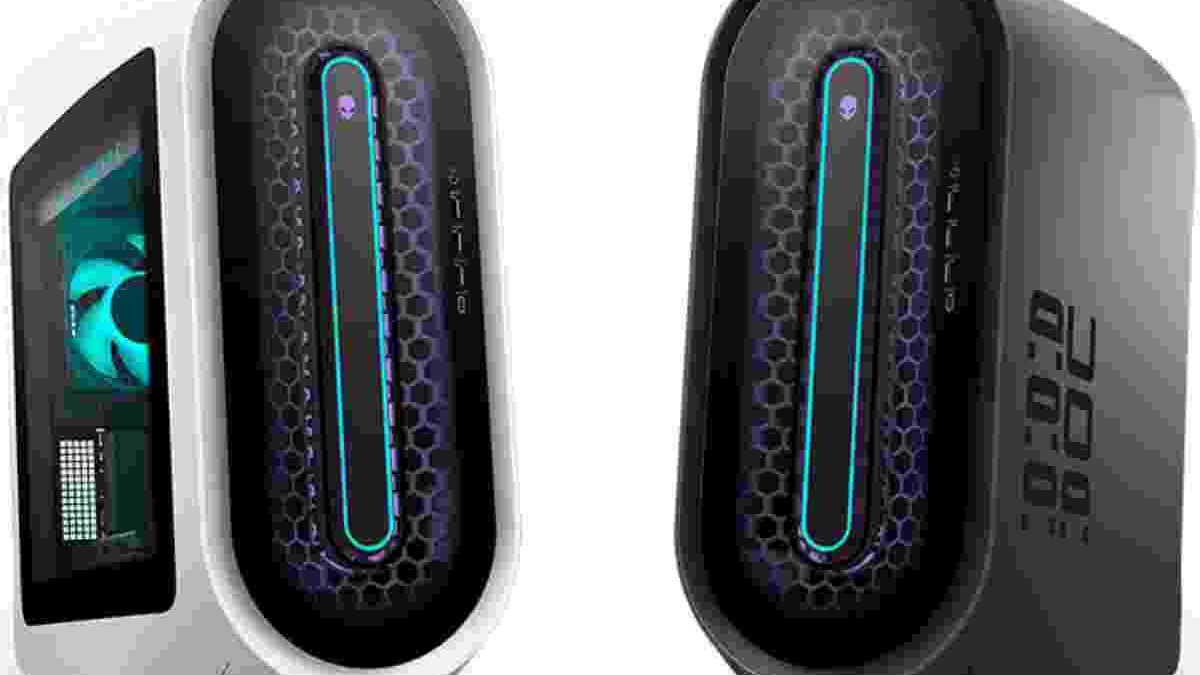
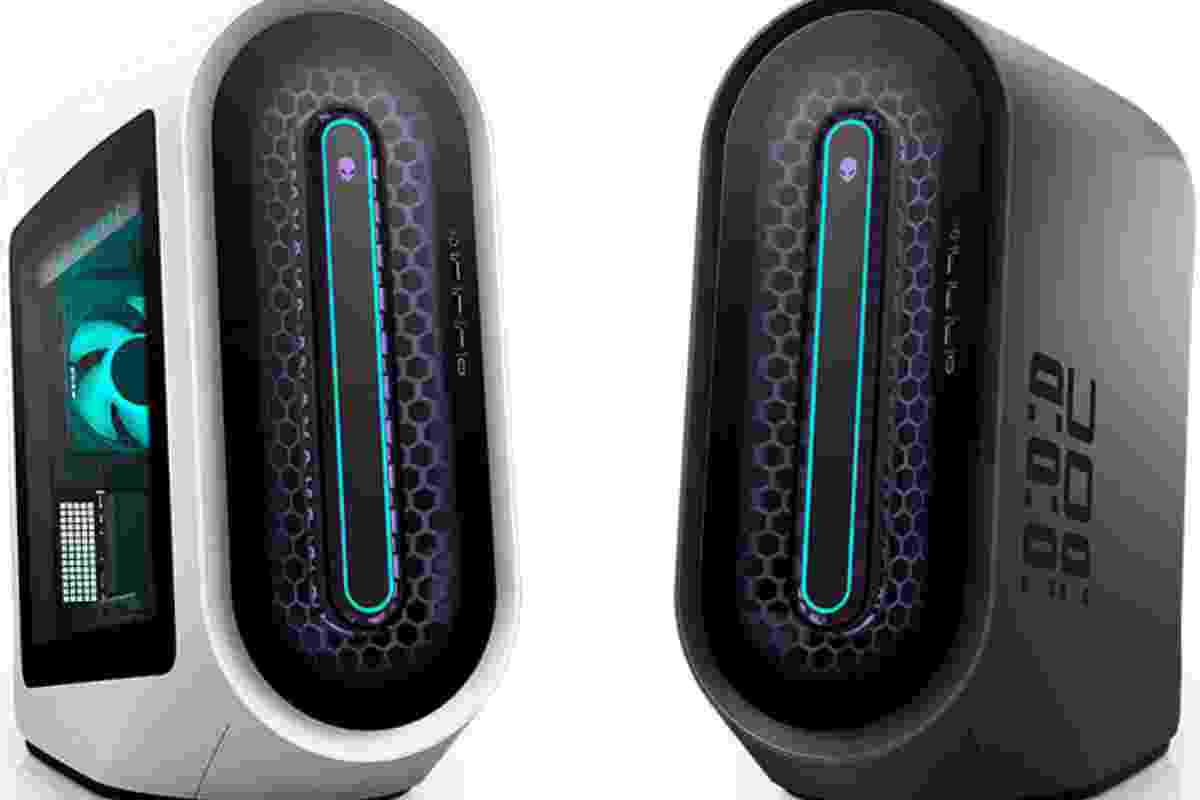
The Aurora R9 introduced a fresh appearance compared with the more conventional design of its predecessor, the Aurora R8. Its Legend design language combines curved surfaces, a distinctive front panel, and restrained lighting.
The front features a sculpted design that directs attention toward the ventilation openings. Alienware’s illuminated logo and lighting accents add personality without covering the entire case in RGB lighting.
The result is a gaming desktop that looks different from a standard rectangular tower. Its design may appeal to gamers who want their PC to stand out while maintaining a relatively clean appearance.
Dimensions and Build Quality
The Aurora R9 measures approximately 481.6 mm at its tallest rear point, 222.8 mm wide, and 431.9 mm deep. Its maximum listed weight is around 17.8 kg, although the actual weight varies with the installed hardware. <Cite refs={[“turn614808search0″,”turn614808search24”]} />
These dimensions make it a substantial desktop rather than a genuinely small-form-factor PC. However, its narrow profile helps it fit into gaming rooms and home offices where desk space is limited.
The front ventilation design also serves a practical purpose. Airflow is important because powerful processors and graphics cards generate significant heat during extended gaming sessions.
The exterior remains a matter of personal taste. Some users may appreciate its futuristic styling, while others may prefer a traditional case that is easier to customize.
Intel Core Processors and CPU Cooling
The Aurora R9 was offered with several ninth-generation Intel Core processors. Depending on the configuration, buyers could choose a more affordable processor or a higher-end model designed for demanding workloads.
The Intel Core i9-9900K was one of the main premium options. It features eight cores and sixteen threads, making it suitable for gaming, multitasking, and many CPU-intensive applications.
Other configurations included selected Core i5 and Core i7 processors. These alternatives could offer better value for users who did not need the most expensive CPU.
Optional Liquid Cooling
Dell offered both conventional air cooling and liquid cooling on selected configurations. The liquid-cooled versions were particularly relevant to buyers choosing high-performance processors.
Effective cooling helps the CPU maintain stable operating speeds under sustained workloads. However, liquid cooling does not automatically eliminate heat or noise. Fan speed, radiator design, case airflow, and room temperature all affect the results.
When buying a used Aurora R9, check the cooling system carefully. Listen for unusual pump or fan noises and monitor processor temperatures during a demanding workload. These checks can help identify maintenance issues before they become expensive problems.
NVIDIA GeForce and AMD Radeon Graphics Options
One of the Aurora R9’s key advantages was its range of graphics options. Depending on the configuration, the desktop could include NVIDIA GeForce GTX or RTX graphics cards, as well as selected AMD Radeon GPUs.
Higher-end models could feature the GeForce RTX 2080 or RTX 2080 Ti. Other versions offered graphics cards aimed at users with more modest budgets.
The RTX 2080 Ti was particularly attractive for demanding games at 1440p and 4K resolutions. It also supported hardware-accelerated ray tracing and NVIDIA’s DLSS technology in compatible titles.
However, not every Aurora R9 delivers the same gaming experience. An entry-level model with a less powerful graphics card will perform very differently from a premium configuration.
Gaming at 1080p, 1440p, and 4K
At 1080p, many Aurora R9 configurations can provide a responsive gaming experience, depending on the installed GPU and the game. Higher-end models can also deliver strong results at 1440p.
Gaming at 4K places a greater load on the graphics card. Models equipped with powerful GPUs can handle many titles at this resolution, but frame rates depend on graphics settings and game requirements.
Ray tracing can improve lighting, reflections, and shadows, but it also increases the rendering workload. Enabling it may require reducing other settings or using DLSS in supported games.
For buyers, the important lesson is to identify the exact graphics card before comparing prices. The Aurora R9’s model name alone does not indicate its gaming performance.
Memory and Storage Options
The Aurora R9 supports DDR4 desktop memory. Dell’s specifications list four memory slots and a maximum supported capacity of 64GB. Supported speeds vary by configuration, with options reaching DDR4-3200 through compatible memory profiles. <Cite refs={[“turn614808search24″,”turn614808search25”]} />
Different configurations were available with 8GB, 16GB, 32GB, or 64GB of RAM. For everyday use and many games, 16GB can provide a workable starting point. Users who run demanding creative applications or multitask heavily may benefit from more memory.
Before upgrading, check the installed modules and motherboard requirements. Using compatible modules and the recommended slot arrangement helps ensure stable operation.
SSD and Hard Drive Configurations
Storage options also varied. The Aurora R9 could be configured with an M.2 NVMe SSD, a traditional hard drive, or a combination of both.
An NVMe SSD improves boot times and helps applications and games load quickly. A hard drive can provide additional capacity for large files, recordings, backups, and less frequently played games.
A combination of SSD and HDD storage can offer a practical balance between speed and capacity. However, buyers should check the actual drive sizes and condition, particularly when purchasing a second-hand system.
Connectivity and Everyday Productivity
The Aurora R9 includes a range of USB ports, audio connections, networking, and display outputs. The exact port arrangement depends on the model, but its connectivity supports common gaming accessories, external drives, headsets, and monitors.
For gaming, connect your monitor to the dedicated graphics card’s output rather than assuming the motherboard’s video connection will use the powerful discrete GPU. This is especially important on configurations where the motherboard display output is covered or unavailable.
The desktop can also support productivity tasks such as video editing, office work, and general multitasking. Its suitability depends on the processor, memory, storage, and software requirements.
If you need extra screen space while working, our guide on how to use your laptop as a monitor explains options for extending a computer workspace. Remember that using a laptop as a second display depends on the supported connection method and software; an ordinary HDMI port on most laptops is an output, not an input.
Upgradeability and Maintenance
The Aurora R9 provides opportunities for selected hardware upgrades, but it is not as flexible as every standard custom-built desktop. Compatibility depends on the chassis, motherboard, power supply, cooling arrangement, and installed components.
Before upgrading, consider the following:
- Memory: Confirm the supported DDR4 capacity, speed, and module arrangement.
- Storage: Check the available M.2 slot, SATA connections, and drive bays.
- Graphics card: Verify the card’s physical dimensions, power requirements, and connector availability.
- Power supply: Confirm the installed wattage and whether it can support a more powerful GPU.
- Cooling: Make sure replacement coolers fit the chassis and match the motherboard’s mounting requirements.
Regular maintenance is equally important. Remove dust carefully, keep the ventilation areas clear, and monitor temperatures during demanding tasks. If the desktop is several years old, inspect the fans, storage drives, and liquid-cooling system where fitted.
A computer’s condition can matter as much as its original specifications when buying used hardware.
Who Should Buy the Alienware Aurora R9?
The Aurora R9 may suit gamers who want a distinctive desktop and can find a configuration at a reasonable price. Its higher-end models still offer useful performance for many games and general computing tasks.
It may also interest users who prefer a prebuilt system rather than assembling every component themselves. However, buyers should compare the price with newer desktops and custom-built alternatives before deciding.
The Aurora R9 is not designed for every environment. For professional fieldwork, a rugged computer such as the Panasonic Toughbook FZ-55 may be more appropriate because it serves a different purpose from a stationary gaming desktop.
Similarly, users working in demanding outdoor or industrial environments can compare specialist devices in this guide to waterproof laptops, including the Getac X500, Durabook Z14I, and Getac B360. These systems target durability and mobility rather than desktop gaming performance.
Final Verdict: Is the Alienware Aurora R9 Worth Buying?
The Alienware Aurora R9 combines distinctive styling, a range of Intel processors, several graphics options, and practical storage configurations. Its higher-end models can deliver strong gaming performance, while the different configurations allow buyers to choose hardware that matches their needs.
Its main strengths are the recognizable Legend design, broad configuration range, and capable performance in suitable models. Its drawbacks include the age of the hardware platform, potentially high used prices, and configuration-dependent cooling and upgrade limitations.
Before buying, check the exact processor, graphics card, memory, storage, power supply, and cooling system. Compare its price with newer alternatives and inspect the system’s condition.
Overall, the Aurora R9 can still be a worthwhile gaming desktop at the right price. The best choice depends on the configuration you find and whether its performance, design, and upgrade options meet your needs.