
Table of Contents
G.Skill Trident Z Neo Review: Design, Performance, Compatibility, and Buying Guide
The G.Skill Trident Z Neo is a DDR4 memory series designed for PC enthusiasts who want strong performance and attractive RGB lighting. It gained attention with the launch of AMD Ryzen 3000 processors and X570 motherboards. However, its specifications also make it worth considering for compatible Intel gaming PCs and workstations.
The series combines high memory speeds, carefully selected timings, aluminium heat spreaders, and customizable lighting. These features look appealing on paper, but specifications alone do not tell the whole story. Real performance also depends on your processor, motherboard, applications, and memory configuration.
In this review, we examine the Trident Z Neo’s design, technical specifications, gaming performance, compatibility, and value. We also explain what to check before buying a kit for your PC.
G.Skill Trident Z Neo: Unboxing and Design
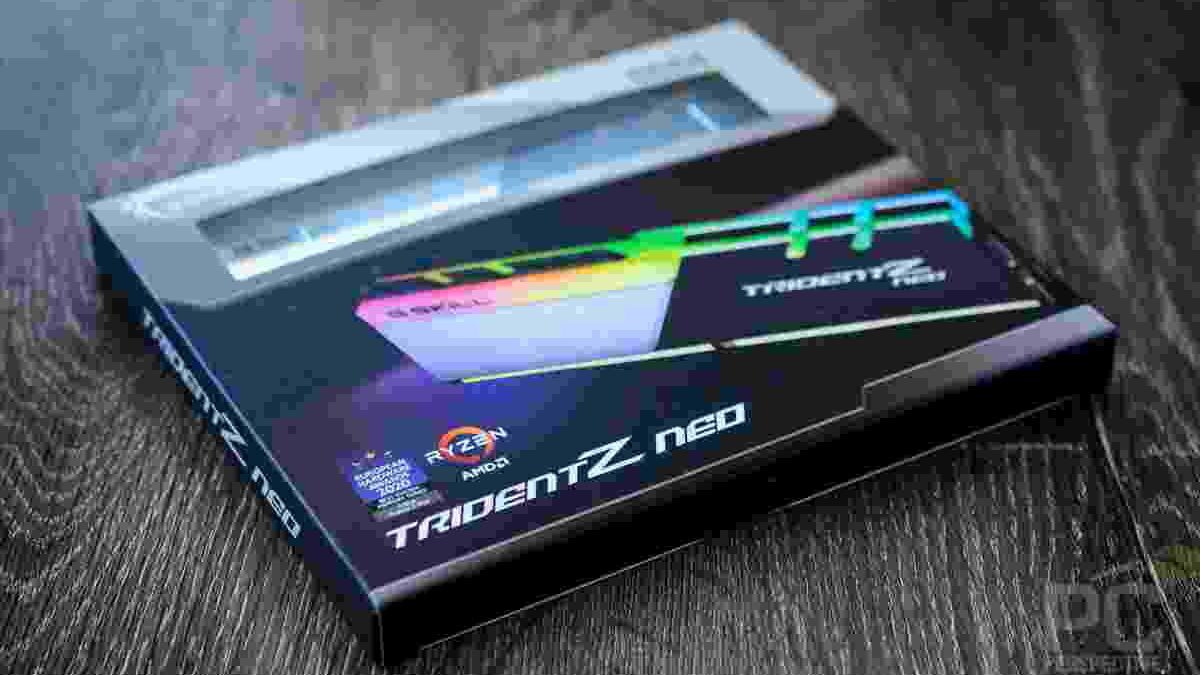
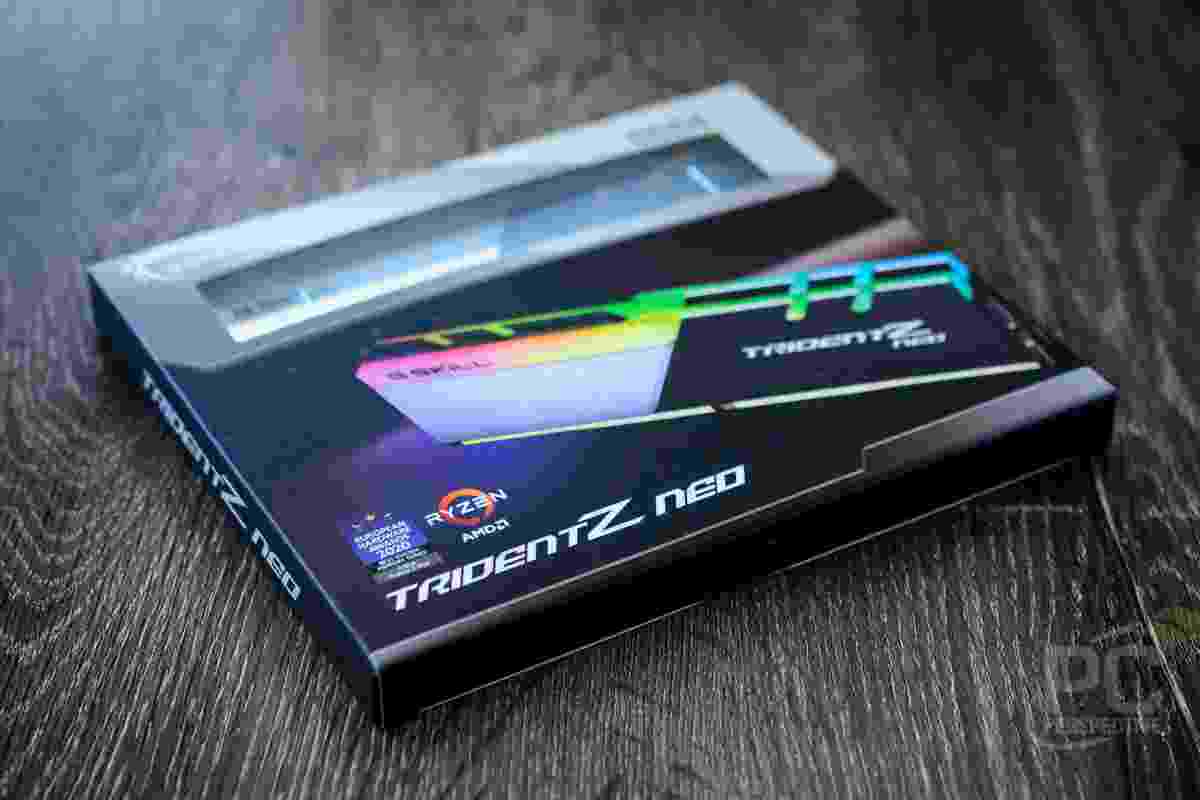
G.Skill gives the Trident Z Neo a distinctive appearance. Its dual-tone heat spreader combines brushed black aluminium with a contrasting silver section. The angled design creates a sharp, modern look without making the memory appear overly aggressive.
The packaging protects the modules during shipping and identifies important product details, including the selected memory configuration. However, the exact specifications depend on the model number. Buyers should check the product label rather than assume every Trident Z Neo kit has the same speed, capacity, or timings.
The most noticeable design feature is the RGB light bar along the top of each module. It spreads light across the upper edge and adds visual interest to a gaming PC. Compatible motherboard lighting software can synchronize the effects with other components.
This design suits systems with transparent side panels and coordinated lighting. At the same time, users who prefer a simple workstation can choose subtle lighting effects or disable the illumination where supported.
Aluminium Heat Spreaders and Build Quality
The aluminium heat spreaders help transfer heat away from the memory modules. They also give the sticks a solid, premium appearance. Although RAM generally produces less heat than a graphics card or processor, effective heat management remains useful during demanding workloads and memory overclocking.
The modules use a custom PCB design intended to support stable operation at their rated speeds. However, a premium heat spreader does not automatically guarantee better performance. Memory chips, timings, voltage, and motherboard support all influence the final result.
Another important detail is physical clearance. Trident Z Neo modules have relatively tall heat spreaders, and some configurations reach approximately 41 mm in height. Before buying, check whether the modules will fit beneath your CPU cooler, especially if you use a large air cooler.
G.Skill Trident Z Neo Specifications and Memory Speeds
The Trident Z Neo family includes several DDR4 configurations. The exact specifications vary by model, so buyers should compare the full product number before purchasing.
A common configuration is a 32GB kit consisting of two 16GB modules rated at DDR4-3600. One popular specification uses CL16 timings and a rated voltage of 1.35V.
| Specification | Typical DDR4-3600 CL16 kit |
|---|---|
| Memory type | DDR4 |
| Total capacity | 32GB |
| Module configuration | 2 × 16GB |
| Rated data rate | 3600 MT/s |
| Primary timings | 16-19-19-39 on the relevant model |
| Rated voltage | 1.35V |
| Memory profile | Intel XMP 2.0 |
| Lighting | Customizable RGB |
| Error correction | Generally non-ECC |
These figures describe a specific configuration, not every kit in the series. Other models offer different capacities, data rates, timings, and voltages.
What Do Frequency and Latency Mean?
Memory speed and latency work together. A higher data rate allows RAM to transfer more data each second, while timings describe delays involved in memory operations.
For example, DDR4-3600 CL16 offers a strong balance between data rate and latency for many compatible DDR4 systems. However, a DDR4-3200 kit with tighter timings may perform similarly in some tasks. The actual difference depends on the workload and system configuration.
Capacity matters just as much. A computer with insufficient memory may struggle when running several applications, regardless of how fast its RAM is. For gaming, everyday multitasking, and many creative tasks, 32GB can provide useful room to work.
AMD and Intel Compatibility
G.Skill originally positioned the Trident Z Neo around AMD Ryzen 3000 processors and X570 motherboards. This focus made sense because memory speed and latency can influence performance on Ryzen systems.
However, the range is not limited to AMD. Compatible Intel motherboards and processors can also use Trident Z Neo DDR4 memory. The key requirement is that the motherboard and processor support the selected memory type and configuration.
Check these details before buying:
- DDR4 support: Your motherboard must support DDR4. DDR4 memory cannot be installed in a DDR5-only motherboard.
- Maximum capacity: Confirm that the board supports your planned total memory capacity.
- Rated speed: Check the motherboard’s memory specifications and compatibility list.
- Module arrangement: A two-stick kit is often a practical choice for dual-channel desktop systems.
- CPU cooler clearance: Measure the available space around the memory slots.
For professional workstation builds, compatibility deserves the same attention as performance. A rugged computer such as the Panasonic Toughbook FZ-55 serves a different purpose from a desktop memory kit, but it illustrates why hardware should be selected for the intended environment and system requirements. The Trident Z Neo itself is desktop DIMM memory, not a laptop RAM upgrade.
How to Enable the Rated Memory Speed
Installing the modules does not always activate their advertised speed automatically. Many DDR4 systems start with a standard memory profile until the user enables the appropriate overclocking profile in the BIOS.
For a supported Trident Z Neo kit, the process is generally straightforward:
- Install the memory modules in the motherboard’s recommended slots.
- Start the computer and enter the BIOS or UEFI setup.
- Locate the memory profile option, often called XMP, A-XMP, or DOCP depending on the platform.
- Select the appropriate profile for your kit.
- Save the settings and restart the system.
- Verify the reported speed and test stability.
The exact menu names vary by motherboard. Some systems may also offer alternative memory profiles.
Remember that a rated profile is technically a memory overclock relative to standard default settings. The advertised speed is not guaranteed on every combination of processor and motherboard. If the system fails to boot or becomes unstable, return to the BIOS and try a supported lower speed or updated settings.
For reliable results, test memory stability after changing the profile. Unexpected crashes, application errors, and failed restarts can sometimes indicate unstable memory settings.
Gaming Performance: What Difference Can RAM Make?
The Trident Z Neo can help a gaming PC deliver consistent performance when the rest of the system supports its rated speed. Faster memory may improve frame rates in CPU-limited games and certain workloads. It can also help reduce performance bottlenecks when moving from slower memory configurations.
However, the improvement is not the same in every game. If a game is limited mainly by the graphics card, changing RAM speed may produce only a small difference. Resolution, graphics settings, processor performance, and background applications also affect the results.
For example, a gaming system built around an RTX 2080 Super may benefit from a balanced CPU and memory configuration, but the graphics card remains a major factor in demanding games. Faster RAM cannot compensate for every GPU limitation.
Similarly, a prebuilt gaming desktop such as the HP Omen Obelisk highlights why the complete system matters. Memory speed should be evaluated alongside the processor, graphics card, cooling, and motherboard rather than in isolation.
Is DDR4-3600 Worth It?
DDR4-3600 can be a sensible target for compatible systems, especially when the price difference from slower memory is reasonable. Yet buyers should not expect a dramatic performance increase in every game.
For a useful comparison, test the same game with identical graphics settings and repeat the measurements. Compare average frame rates and, where possible, 1% low frame rates. These results provide a clearer picture of consistency than relying on a single benchmark.
Memory speed is only one part of a balanced gaming build. Spending more on RAM may be less valuable than improving the graphics card or processor if those components are the main performance limits.
RGB Lighting and Customization
The Trident Z Neo’s RGB lighting is one of its strongest visual features. The light bar covers the top of each module and creates a smooth lighting effect across the memory slots.
Compatible software can coordinate the colours and patterns with supported motherboards and other components. This is useful for builders who want a consistent look throughout their PC.
The lighting does not directly improve frame rates or application performance. Its value is aesthetic, and users who prefer a simpler setup can prioritize other features instead.
Who Should Buy G.Skill Trident Z Neo?
The Trident Z Neo is worth considering for several types of desktop users:
- Gaming enthusiasts: Suitable for compatible systems that benefit from faster DDR4 memory and customizable RGB lighting.
- PC builders: A good design option for builds with coordinated components and transparent cases.
- Content creators: Higher-capacity configurations can support demanding applications, provided the software and system benefit from additional memory.
- Performance-focused users: Useful for people who want to tune memory settings and compare different speeds and timings.
It may be less attractive if you already own a similar memory kit, use a DDR5-only motherboard, or need low-profile modules for a space-constrained build. It is also worth comparing the price against other compatible DDR4 kits before paying extra for RGB lighting.
Final Verdict: Is G.Skill Trident Z Neo Worth Buying?
G.Skill Trident Z Neo combines a distinctive dual-tone design, customizable RGB lighting, and a broad range of DDR4 speeds and capacities. Its popular DDR4-3600 CL16 configurations offer an appealing balance of speed and latency for compatible gaming PCs and workstations.
Its strongest advantages are the premium appearance, flexible configurations, and support for both compatible AMD and Intel desktop platforms. However, the correct model matters. Buyers should verify capacity, timings, voltage, motherboard support, and cooler clearance before making a purchase.
Overall, the Trident Z Neo is a solid option for anyone building or upgrading a compatible DDR4 desktop. Choose it for the combination of performance, design, and system compatibility—not simply because a higher memory speed promises more frames per second.