
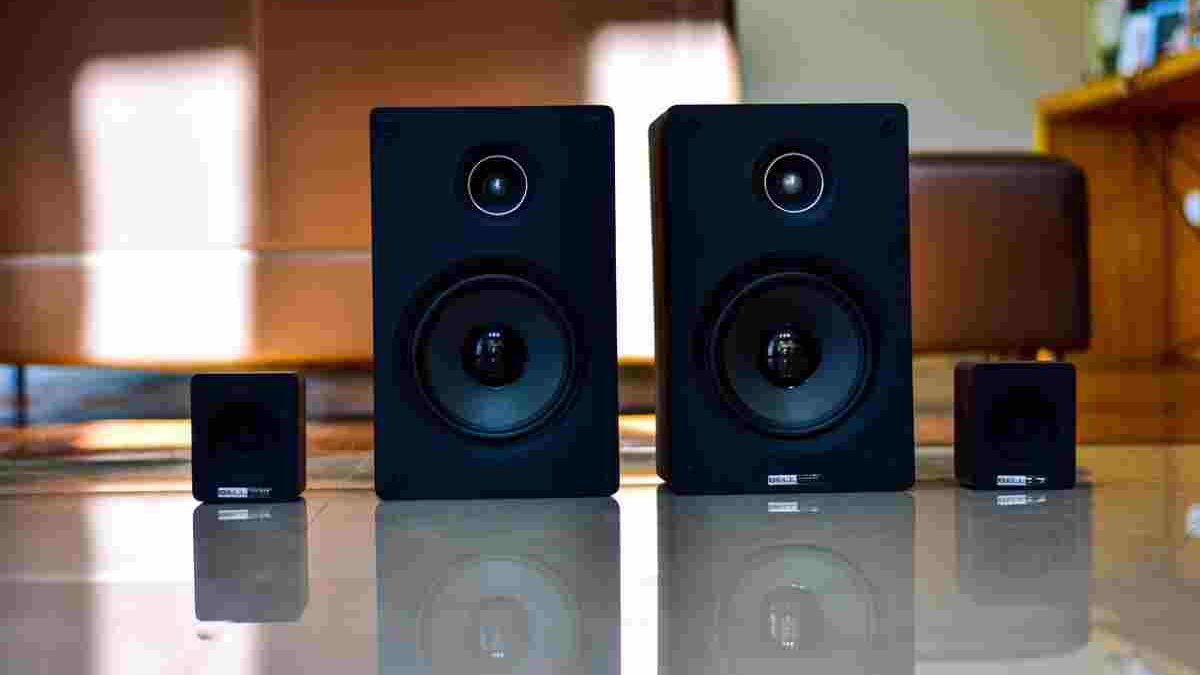
Wireless speakers with WiFi have changed how people listen to music at home. Instead of connecting every speaker directly to a phone, computer, or television, users can stream audio through a wireless network and enjoy music in different rooms. Some models also support voice assistants, multiroom playback, and smart home controls, making them more versatile than traditional speakers.
However, not every WiFi speaker offers the same features. Sound quality, network stability, streaming compatibility, privacy, and ease of setup all affect the listening experience. Understanding these differences helps you choose a speaker that suits your home, budget, and everyday listening habits.
Table of Contents
How WiFi Wireless Speakers Work
Traditional wired speakers receive audio through a physical connection. Bluetooth speakers remove that cable by sending audio directly from a nearby device. WiFi speakers work differently because they connect to a wireless local area network, allowing compatible devices and streaming services to communicate over the network.
Depending on the model, music can stream directly from an online service, come from a phone or computer, or play through a compatible home audio system. This arrangement can provide greater flexibility than Bluetooth, especially when several speakers operate together.
WiFi does not automatically guarantee better sound. Audio quality still depends on the speaker’s drivers, amplifier, acoustic design, supported audio formats, and the quality of the original recording. A well-designed Bluetooth speaker can sound better than a poorly designed WiFi model.
The main advantage is flexibility. Once connected to the same network, compatible speakers can offer room-to-room playback, centralised control, and access to a wider range of streaming options.
Smart Speakers and Voice Assistants
One of the most recognisable developments in wireless audio is the smart speaker. These devices combine a conventional speaker with microphones, software, and a voice assistant.
Depending on the product, users can request music, ask general questions, check the weather, set timers, or control compatible smart lights and other connected devices. Instead of opening an application for every task, users can often issue a spoken command.
Amazon Alexa and Google Assistant are common examples of voice assistant platforms, although availability and compatibility vary by device and region. Apple’s Siri works differently across its ecosystem, so buyers should check the exact integrations supported by a speaker before purchasing.
Smart speakers also depend on software and internet services. Many voice commands require an active internet connection, and certain functions may stop working when the connection is interrupted. Some speakers can still play locally available audio or support alternative playback methods, but this depends on the model.
Privacy deserves attention, too. Before buying a smart speaker, review its microphone controls, voice recording settings, account requirements, and privacy policy. A physical microphone mute button can be useful in homes where people prefer greater control over voice activation.
WiFi Speakers for Multiroom Listening
WiFi is particularly useful when you want music to follow you throughout your home. Multiroom audio systems allow compatible speakers to play the same track in several rooms or play different audio in separate areas.
For example, you could listen to a podcast in the kitchen while someone else plays music in the living room. Alternatively, you could synchronise speakers during a gathering so the same playlist plays throughout the house.
However, multiroom systems are not always interchangeable. Some manufacturers use proprietary applications or protocols, meaning speakers from different brands may not work together as one synchronised group. Before buying multiple devices, check whether they support the same ecosystem and whether all the features you need are available in your country.
Network quality also matters. A reliable router, suitable WiFi coverage, and sensible speaker placement help reduce interruptions. Large homes, thick walls, and congested wireless networks can cause problems, particularly when several devices stream simultaneously.
If your home has weak WiFi coverage, improving the network may be more effective than replacing a speaker that is otherwise working correctly.
Echo Dot: Compact Smart Audio
The Amazon Echo Dot is designed for people who want a relatively compact speaker with voice assistant functionality. Different generations offer different designs, audio performance, and features, so buyers should confirm the specifications of the particular model they are considering.
With compatible services and an internet connection, an Echo Dot can play music, set alarms, answer supported questions, and control compatible smart home devices through Alexa. Its small size makes it suitable for bedside tables, desks, kitchens, and other spaces where a larger speaker may be unnecessary.
However, compact dimensions place limits on bass response and overall sound output. It can be a practical choice for background listening and everyday voice commands, but people who prioritise powerful, room-filling sound may prefer a larger speaker.
Ultimate Ears Megablast: Portable Listening
The Ultimate Ears Megablast combines portable speaker design with WiFi connectivity and Alexa compatibility. It was designed for listeners who wanted a speaker that could move around the home and also provide audio away from a fixed listening position.
Its water- and dust-resistance rating was one of its notable features. The original model carried an IP67 rating, although buyers should check the manufacturer’s documentation for the exact product and its condition before relying on that protection.
Portable speakers are useful for outdoor gatherings, travel, and flexible placement. Nevertheless, WiFi functionality usually depends on access to a suitable network, while Bluetooth can be more convenient in locations without WiFi. Anyone considering an older model should also check current software support, battery condition, and the availability of compatible applications.
Sonos One: Connected Sound for the Home
The Sonos One became known for combining multiroom audio with voice assistant support and a compact home-friendly design. Depending on its generation and software support, it can work with compatible music services and selected voice control features.
The wider Sonos ecosystem is important because the speaker is not simply an independent audio device. Compatible Sonos products can be grouped through the company’s application, allowing users to manage music in different rooms.
Apple AirPlay 2 support on compatible models provides another way to stream audio from Apple devices. However, features can differ by product generation, and not every voice assistant or service is available in every market.
Before investing in a multiroom system, consider the long-term ecosystem. Think about which music applications you use, whether household members have different phones, and how easily you can expand the system later.
Libratone Zipp: Flexible Multiroom Audio
The Libratone Zipp range illustrates how WiFi speakers can focus on flexible playback rather than voice assistance alone. Depending on the model and supported services, these speakers have offered wireless streaming and options for connecting compatible speakers.
This type of design can appeal to people who want music in several areas without placing a separate wired audio system in every room. A portable form can also make repositioning easier.
Nevertheless, buyers should distinguish between the original specifications and current capabilities. Older products may depend on applications, streaming integrations, or software services that have changed over time. Confirming current compatibility is especially important when buying second-hand equipment.
Echo Studio: A More Immersive Listening Experience
The Amazon Echo Studio is designed for listeners who want more substantial sound than a small smart speaker can provide. Its multi-driver arrangement is intended to produce a fuller listening experience, while compatible content and processing features can support immersive audio playback.
It also integrates with Alexa, allowing supported voice commands and smart home functions. This combination can make it useful as both a music speaker and a voice-controlled home device.
Still, speaker size alone does not determine sound quality. Room dimensions, placement, furniture, and listening distance all affect the result. Place a speaker where its sound is not heavily obstructed, and experiment with its position to find the best balance.
If you are building a broader entertainment setup, also consider how music, television audio, and other devices will fit into your home network. Compatibility is more important than simply choosing products with the longest feature lists.
Yamaha MusicCast WX-010: A Connected Audio System
The Yamaha MusicCast WX-010 represents a different approach to connected audio. Rather than making voice assistance its central feature, it belongs to an ecosystem designed to distribute audio across compatible devices.
Systems of this kind can allow music from supported sources to play through compatible speakers around the home. This is useful for listeners who want a coordinated audio setup rather than a collection of unrelated wireless products.
When evaluating a multiroom system, examine the available streaming services, supported audio sources, application experience, and compatibility with other products. These practical details determine how useful the system will be after installation.
The network should also be reliable enough to handle everyday streaming. If you regularly use several connected devices, a well-positioned router and consistent WiFi coverage can help maintain playback quality.
Roth & Myers Bosk: Design Meets Wireless Audio
The Roth & Myers Bosk speaker stands out for its natural wood appearance, offering an alternative to the plastic or fabric finishes common in many modern smart speakers.
Its design highlights an important consideration: speakers are often permanent parts of a living space, so appearance can matter alongside sound quality. A wooden enclosure may complement traditional or minimalist interiors, depending on the room’s style.
When assessing a speaker of this kind, check its supported streaming services, network requirements, multiroom features, and availability. Product specifications and software support can change over time, particularly for older models.
Choosing the Right WiFi Speaker for Your Needs
Before purchasing a WiFi speaker, start with your main listening habits. A compact smart speaker may be enough for a bedroom, while a larger model may suit a living room where fuller sound is important.
Next, check network compatibility. Confirm that the speaker works with your WiFi setup and preferred streaming services. If you want multiple speakers, verify that they can synchronise and that the system supports future expansion.
Consider how you use other connected devices, too. People who track workouts with a compatible fitness watch, such as the Garmin Vivoactive 4, may appreciate a connected technology setup that supports different daily activities. However, fitness devices and WiFi speakers serve different purposes, so compatibility should never be assumed without checking the relevant applications and services.
Think about your listening environment as well. For private listening during exercise or travel, headphones may be more suitable than a room speaker. If you are comparing alternatives, bone conduction headphones offer a different listening approach that can be useful in situations where awareness of surrounding sounds matters.
Finally, consider ongoing costs, software support, privacy controls, and ease of use. A speaker that integrates smoothly with your existing devices is often more practical than one with extra features you rarely use.
Setup, Maintenance, and Everyday Performance
Setting up most WiFi speakers involves installing a compatible application, connecting the speaker to the home network, and linking supported music services. Follow the manufacturer’s instructions and keep the speaker’s software updated when updates are available.
If playback drops out, check WiFi signal strength, restart the router if appropriate, and confirm that the streaming service is working. Avoid placing speakers in locations where walls, appliances, or other obstacles significantly weaken the signal.
Smart speakers and their companion applications can also require regular attention to account permissions and device settings. Keep your account secure and review connected services periodically.
For portable models, battery condition is another important consideration. For phones used to control streaming, monitoring power consumption can help avoid interruptions during long listening sessions. If you use an iPhone 11, this guide to displaying battery information on iPhone 11 may help you understand the battery information available on your device.
Conclusion
WiFi wireless speakers offer more than cable-free music. Depending on the model, they can support voice assistance, multiroom listening, streaming services, and integration with a wider connected home.
The best choice depends on your priorities. Consider sound quality, network reliability, privacy, streaming compatibility, room size, and long-term software support before making a purchase. Older models can still be useful, but their current availability and service compatibility deserve particular attention.
Ultimately, a good WiFi speaker should make listening easier, not more complicated. Choose a system that fits your home and everyday habits, and you will be better placed to enjoy convenient, reliable wireless audio.