
Table of Contents
Introduction
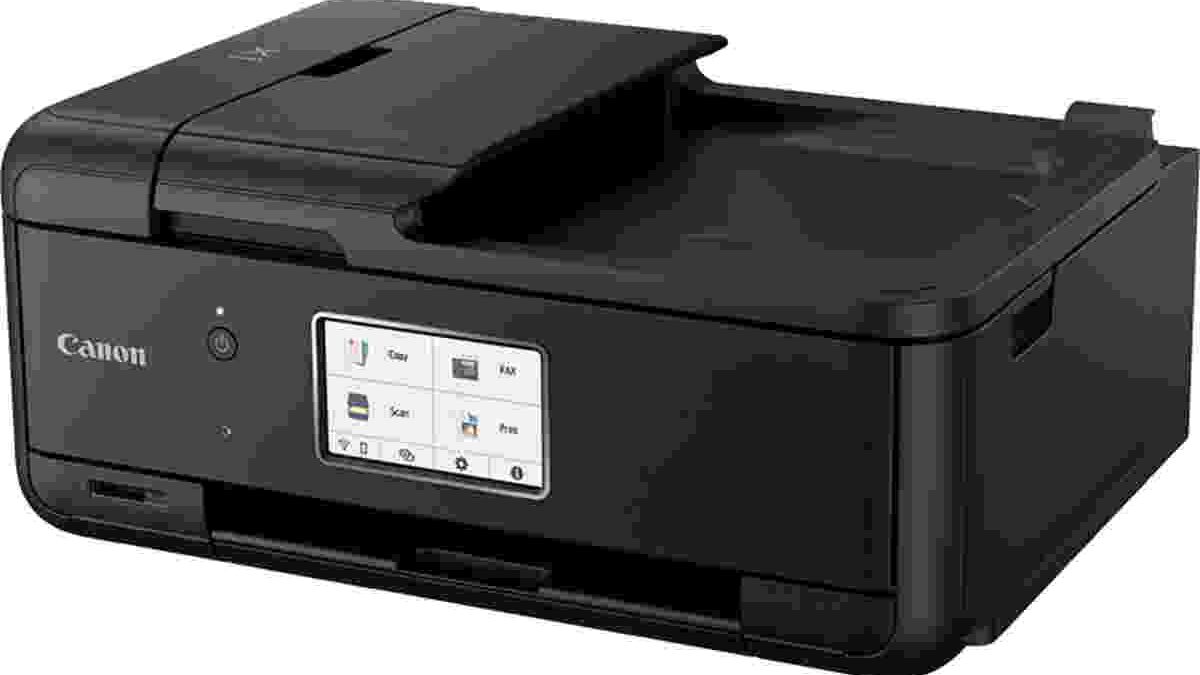
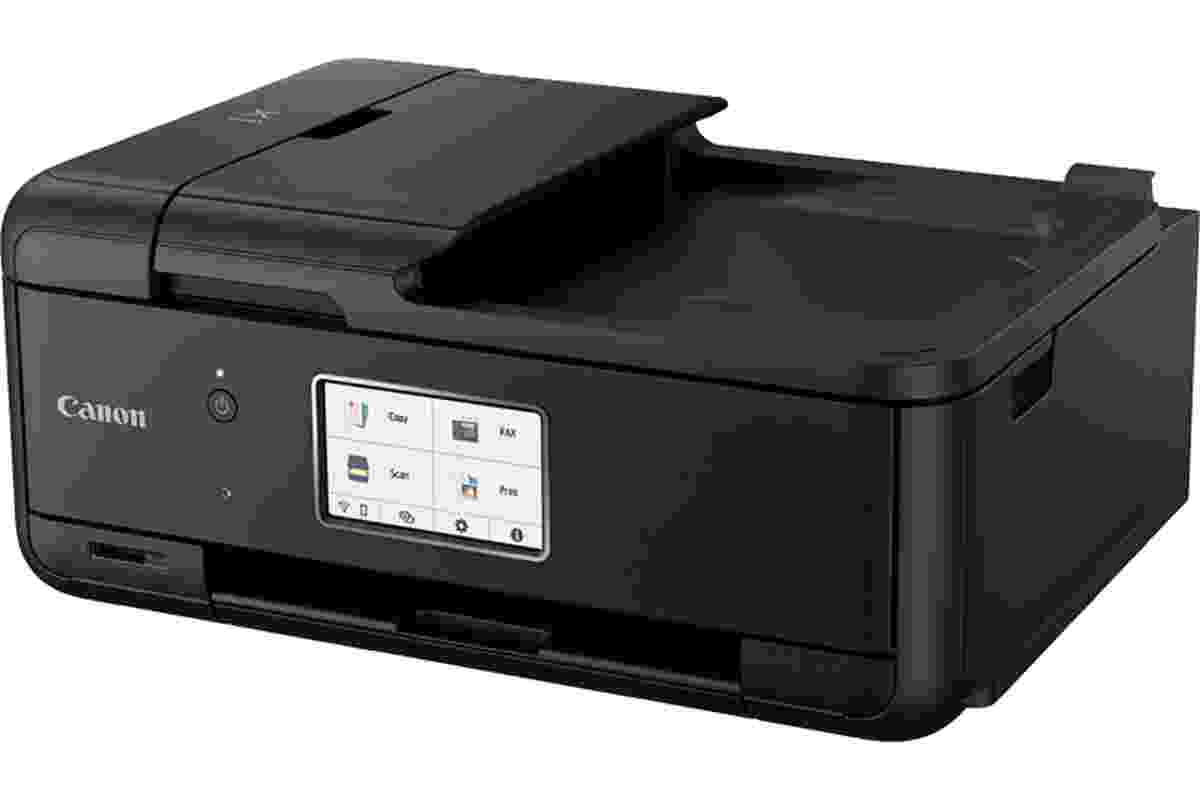
The Canon Pixma TR8550 is a multifunction inkjet printer designed for home offices and users who need more than basic document printing. It combines printing, scanning, copying, and faxing in one compact device.
The printer also supports photo printing and offers features such as automatic document feeding, wireless connectivity, and duplex printing. These capabilities make it suitable for people who handle everyday office documents, presentations, and occasional photographs.
In this Canon Pixma TR8550 review, we examine its design, features, print performance, ink system, and running costs. The performance figures and cartridge prices discussed below come from the original review period, so current availability and costs may differ.
Canon Pixma TR8550 Price and Positioning
The Canon Pixma TR8550 sits above some basic models in the Pixma range because it includes additional office functions. Its four-in-one design provides a printer, scanner, copier, and fax machine.
Canon also introduced the Pixma TR7550 as a related model. It offered similar multifunction capabilities but used a smaller touchscreen control panel.
The TR8550 is therefore aimed at users who want a more complete home-office printer. Before buying one today, check its availability, condition, replacement ink supply, and warranty options. Older printer models may no longer be widely stocked by retailers.
Design and Main Features
One of the TR8550’s main attractions is its compact design. The original specifications list dimensions of approximately 190mm in height, 438mm in width, and 351mm in depth. This allows the printer to fit on many home-office desks or shelves.
Despite its relatively small footprint, the device includes several useful features:
- Multifunction operation: Print, scan, copy, and fax documents using one device.
- Automatic document feeder: The top feeder holds up to 20 sheets for handling multi-page documents.
- Dual paper trays: The printer has two paper trays, each with a stated capacity of 100 sheets.
- Duplex printing: Automatic two-sided printing helps reduce paper use.
- Touchscreen control: The front touchscreen provides access to printing and maintenance settings.
- Five-ink system: Separate cartridges support document printing and colour output.
The combination of these features makes the TR8550 useful for people who regularly switch between office documents and photo projects.
Connectivity and Everyday Usability
The Canon Pixma TR8550 offers several connection options for home and small-office environments. These include USB, Wi-Fi, and Ethernet connectivity.
Wireless printing can be useful when several devices share the same printer. Compatible Apple devices can also use AirPrint, while other supported devices can connect through Canon’s software and printing options.
When connecting printers and other smart devices to a home network, privacy and security also deserve attention. Tools such as Avast AntiTrack focus on reducing online tracking and helping users manage their digital privacy. It serves a different purpose from printer security, but it is relevant to the wider topic of using connected technology safely.
The original model information also mentions Google Cloud Print. However, Google discontinued that service in 2021, so it should not be treated as a current printing option.
The touchscreen provides access to the printer’s main functions. The original review noted that it could sometimes require a firmer touch to respond. This is worth considering when evaluating an older unit in person.
Print Performance and Output Quality
The original review reported printing speeds of approximately 14 pages per minute for monochrome documents and 7 pages per minute for colour documents. A 4 × 6-inch photo took around 45 seconds in its testing.
These figures provide historical performance context rather than a guarantee of the speed of every device or print job. Actual results depend on print settings, document complexity, connection type, and the condition of the printer.
Text output benefits from the dedicated pigment-based black ink. It is suitable for everyday letters, forms, and business documents, although the original review found that some characters appeared heavier than typical laser-printer output.
Colour graphics and photographs were a stronger point. The printer produced detailed images with bold colours, making it useful for presentations, brochures, and home photo projects.
For users who need to print a mixture of text and colour content, this balance can be more valuable than focusing on speed alone.
Five-Ink Cartridge System
The TR8550 uses five separate ink cartridges. Four cartridges contain cyan, magenta, yellow, and black ink for colour and graphics printing. The fifth cartridge contains pigment black ink, which is used mainly for text documents.
Separate cartridges can help reduce waste because users can replace individual colours when they run out. However, maintaining five cartridges also means that owners need to monitor several ink levels.
When buying replacement cartridges, check the exact cartridge compatibility and availability. Do not assume that every Canon Pixma cartridge will work with the TR8550.
Running Costs and Ink Value
Ink costs are an important consideration when choosing any inkjet printer. The original review noted that Canon offered standard, XL, and XXL cartridge options, with larger cartridges providing higher page yields.
Its historical estimates placed pigment-black printing at around 5.7p per page with a standard cartridge. The reported cost fell to approximately 3.9p with XL and 3.6p with XXL cartridges.
The review also estimated colour printing costs of approximately 13.3p per page with standard cartridges, falling to around 9.2p with XL cartridges and 8p with XXL cartridges.
These are historical estimates, not current retail prices. Actual costs depend on cartridge prices, document coverage, print settings, and how frequently the printer is used.
If you print large volumes of plain text, compare the total cost of ownership with a monochrome laser printer. For mixed documents and occasional photographs, the TR8550’s broader capabilities may be more useful.
Comparing Printers and Other Technology Products
A multifunction printer should be evaluated according to its intended workload. Home users may prioritise photo quality and wireless printing, while small businesses may place greater value on document feeding, faxing, and running costs.
It is also useful to compare other product categories before making technology purchases. For example, our guide to Moto G6 vs Moto G7 demonstrates how comparing specifications and features can help buyers understand the differences between product generations.
Likewise, unusual product or model identifiers should be checked against official manufacturer documentation before buyers make assumptions about compatibility. Our article on NL49DEUT7370000143 provides another example of why verifying unfamiliar identifiers matters.
Frequently Asked Questions
Is the Canon Pixma TR8550 suitable for a home office?
Yes. Its printing, scanning, copying, and faxing functions make it suitable for many home-office tasks. Its automatic document feeder and wireless connectivity also support everyday productivity.
Does the TR8550 support automatic double-sided printing?
Yes. The model supports automatic duplex printing, which allows compatible documents to be printed on both sides of the paper.
How many ink cartridges does the TR8550 use?
It uses five separate cartridges: pigment black, standard black, cyan, magenta, and yellow.
Can the Canon Pixma TR8550 print photographs?
Yes. Its colour ink system supports photo printing and detailed graphics. The results depend on the paper type, print settings, and condition of the cartridges.
Is the TR8550 economical for high-volume text printing?
It may not be the most economical choice for users who print large quantities of plain text. Compare current ink prices and page yields with those of suitable laser printers before deciding.
Conclusion
The Canon Pixma TR8550 combines four office functions with photo printing, wireless connectivity, duplex printing, and a five-cartridge ink system. These features make it a flexible option for home users and small offices that need a multifunction device.
Its main considerations are ink costs, cartridge availability, and the age of the model. Buyers should check current replacement supplies and compare alternative printers before purchasing. Overall, the TR8550’s strongest appeal is its combination of office convenience and versatile colour printing.