
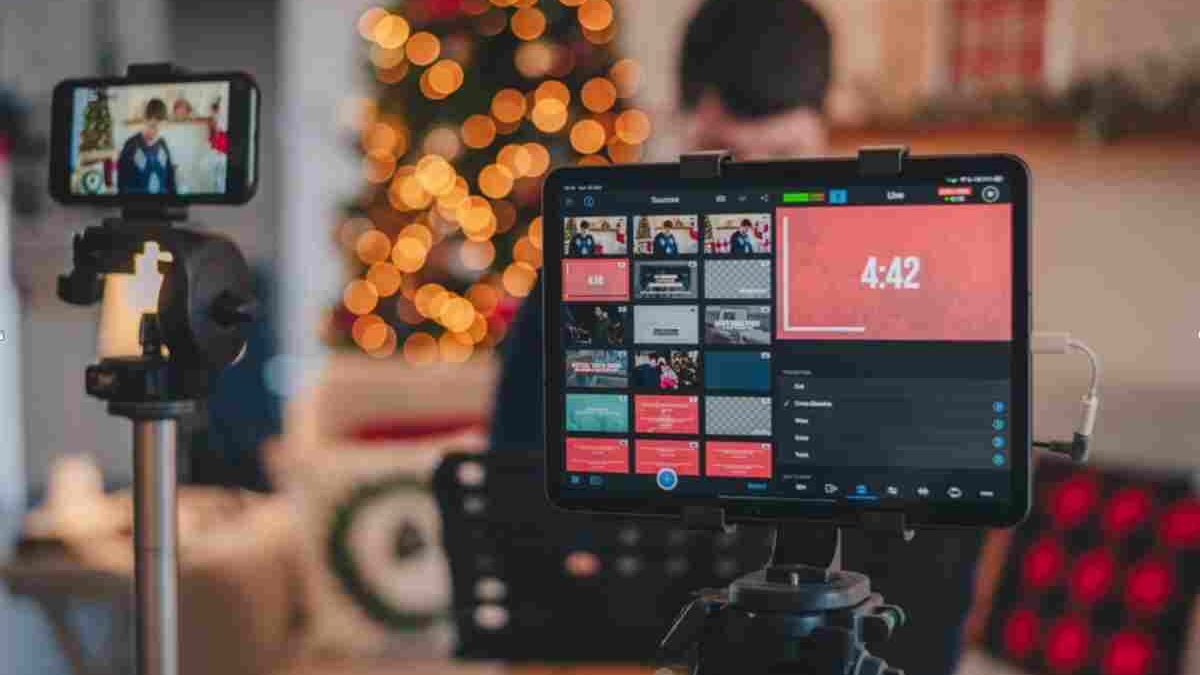
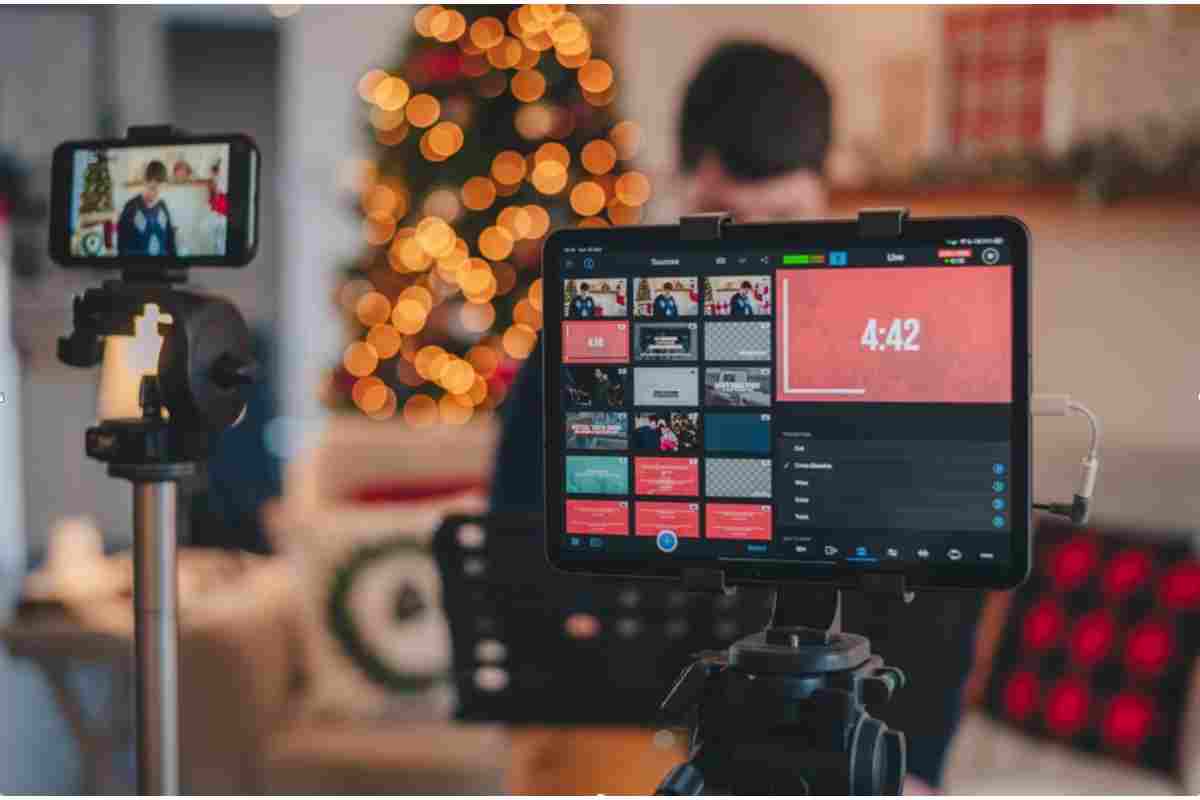
Live streaming has changed the way people communicate, share experiences, and consume digital content. Instead of recording a video and uploading it later, users can broadcast events and activities in real time to viewers across the world. With a smartphone, computer, webcam, or other compatible device, almost anyone can share live video through an internet connection.
Social media platforms and dedicated streaming services have made this technology accessible to individuals, businesses, educators, gamers, and content creators. People use live streaming to host discussions, broadcast gaming sessions, attend virtual events, demonstrate products, and connect with audiences.
However, live streaming also comes with responsibilities. Privacy, inappropriate content, cyberbullying, copyright violations, and online safety are important concerns, particularly when children and teenagers use these platforms.
Understanding how live streaming works, where it is used, and how to use it responsibly can help individuals enjoy its benefits while reducing potential risks.
Table of Contents
What Is Live Streaming and How Does It Work?
Live streaming is the process of transmitting audio and video over the internet in real time. Unlike traditional video content, which is recorded and uploaded for people to watch later, a live broadcast allows viewers to watch an event as it happens.
Most live streaming services provide tools that let broadcasters interact with their audiences. Depending on the platform, viewers may be able to post comments, ask questions, send reactions, or participate in live discussions.
A basic live streaming setup generally includes:
- A recording device: A smartphone, computer, webcam, or professional camera captures the video.
- An audio source: A built-in or external microphone records the speaker’s voice and surrounding sounds.
- An internet connection: A stable connection transfers the audio and video to the streaming platform.
- Streaming software or an application: The software processes the video and sends it to the service hosting the broadcast.
- A viewing platform: The platform distributes the live video to viewers using compatible devices.
Some services also provide recording options, allowing broadcasters to save their sessions and make them available after the live event.
How Does Web Crawling Relate to Live Streaming Platforms?
Live streaming platforms operate within a much larger internet ecosystem. Search engines and other online services use automated systems to discover and organize publicly accessible web pages. One important process involved in this activity is web crawling.
Web crawling uses automated programs, commonly called crawlers or spiders, to discover web pages by following links and examining accessible website content. It helps search engines find information that may later be processed and included in their search indexes.
For website owners and content publishers, understanding web crawling can help explain how search engines discover streaming-related articles, platform guides, event announcements, and other online resources.
However, web crawling and live streaming perform different functions. Crawling discovers and processes web content, while live streaming delivers audio and video to viewers in real time. A live broadcast does not automatically become searchable simply because it is available online.
Popular Uses of Live Streaming
Live streaming is no longer limited to social media entertainment. It has become a useful communication and broadcasting method across several industries.
Social media broadcasting: Platforms such as Facebook, Instagram, and YouTube offer live features that allow users to communicate with followers. People use them to share personal experiences, host question-and-answer sessions, and broadcast special occasions.
Gaming: Gaming communities use live streaming to share gameplay, discuss strategies, and interact with viewers. Services such as Twitch and YouTube provide features designed for gaming creators and their audiences.
Education: Teachers, trainers, and educational organizations can broadcast lessons, workshops, lectures, and demonstrations. Students can watch remotely and participate through available discussion tools.
Business and marketing: Companies use live video to introduce products, demonstrate services, answer customer questions, and host online presentations. Live broadcasts can help brands communicate directly with potential customers.
News and events: Media organizations and event organizers use live streaming to cover conferences, public announcements, interviews, and other activities as they happen.
Entertainment: Musicians, performers, and creators can broadcast performances, conversations, and special programmes to audiences in different locations.
These examples demonstrate why live streaming has become an important part of modern digital communication.
Techno Karan and the Growing World of Online Technology Content
Technology-related content helps internet users understand digital platforms, online services, and emerging tools. Websites and creators covering technology often publish tutorials, explainers, product information, and practical guides that make complicated subjects easier to understand.
One example is Techno Karan, which is relevant to the wider discussion of technology-focused online content and digital information. Resources covering technology can help readers explore how online platforms operate and how digital tools are used in everyday life.
Live streaming is one area where technology education is particularly useful. New creators may need guidance on choosing suitable equipment, configuring streaming software, improving audio quality, and managing audience interactions.
Before starting a broadcast, it is helpful to understand the platform’s features and privacy settings. Learning these basics can make the streaming experience more organized and reduce avoidable technical or safety problems.
How to Use Live Streaming Applications
Getting started with live streaming is usually straightforward. Most platforms provide built-in broadcasting features, although the exact steps vary depending on the service and device.
Here is a general process for starting a live broadcast:
Step 1: Choose a suitable platform
Select a streaming service based on your purpose. For example, a gaming creator may prefer a gaming-focused platform, while a business may choose a service that supports professional presentations and audience interaction.
Step 2: Create or access your account
Open the selected application or website and sign in. Some services require account verification or additional eligibility requirements before users can start broadcasting.
Step 3: Check your equipment
Make sure your camera, microphone, and internet connection are working correctly. You do not necessarily need expensive equipment for a basic broadcast, but clear audio and stable video can improve the viewing experience.
Step 4: Configure your broadcast
Add a suitable title and description. Review the audience settings and choose whether the broadcast should be public, private, or restricted to selected viewers, depending on the platform’s available options.
Step 5: Review privacy and safety settings
Before going live, check what is visible in the background. Remove personal documents, addresses, school information, account details, and other sensitive material from the camera’s view.
Step 6: Start streaming
Use the platform’s live broadcast option to begin. Speak clearly, follow the planned topic, and interact respectfully with viewers.
Step 7: End and review the broadcast
When the session is finished, stop the stream using the platform’s controls. If a recording is saved, review it before deciding whether to publish or share it.
What Is CroxyProxy.com and Why Do Online Users Explore Web Proxies?
Internet users sometimes encounter proxy services while exploring online privacy, browsing access, and website connectivity. A web proxy acts as an intermediary between a user’s browser and the website they want to visit.
Instead of connecting directly to a destination website, a browser sends a request through the proxy service. The proxy then forwards the request and returns the response. Depending on the service, this arrangement may provide different browsing features.
CroxyProxy.com is an example of a web proxy service discussed in the context of online browsing. Users researching proxy tools should understand how these services work, what information they may handle, and what limitations they have.
Proxy services should not be confused with live streaming platforms. A proxy primarily handles web requests, whereas a streaming service delivers live audio and video. A proxy may also affect streaming performance because video broadcasting requires sufficient bandwidth and a reliable connection.
Before using any proxy service, review its privacy policy and security practices. Avoid entering passwords, financial information, or other sensitive details through services you do not trust.
Live Streaming Safety: Privacy Risks for Children and Teenagers
Although live streaming offers many benefits, it can expose younger users to risks when broadcasts are public or poorly supervised.
Children and teenagers may use live applications to share everyday activities, talk with friends, perform, or play games. However, some may not understand how easily information shared during a live broadcast can reach strangers.
Several potential risks deserve attention:
Sharing personal information: Young users may accidentally reveal their full names, school details, home locations, daily routines, or other identifying information.
Contact with strangers: Public chat features can allow unknown viewers to communicate directly with broadcasters. Some interactions may be inappropriate, manipulative, or threatening.
Cyberbullying: Viewers may post insulting comments, spread rumours, or target a broadcaster during or after a live session.
Inappropriate content: Children may encounter disturbing videos, harmful discussions, or unsuitable comments while watching public broadcasts.
Recording and redistribution: A live broadcast may be recorded by viewers and shared elsewhere, even when the original broadcaster did not intend for it to be saved.
Parents and guardians should discuss these risks with children before allowing them to use live streaming services. It is also important to check age requirements, account privacy settings, moderation features, and parental controls.
ByteBirdOrg.com and the Importance of Understanding Digital Resources
The internet contains many websites that cover technology, online services, and digital tools. Readers often explore these resources to learn about unfamiliar platforms, understand technical concepts, and discover how different services are used.
ByteBirdOrg.com is another example of a technology-related online resource that readers may encounter while exploring digital information.
When researching an unfamiliar website, users should consider its purpose, ownership information, available contact details, security practices, and the quality of its published content. These checks are especially important when a website requests personal information or encourages visitors to download software.
The same careful approach applies to live streaming platforms. Before creating an account, users should check the service’s official website, understand its terms, and review the privacy settings. Choosing a trustworthy platform is an important part of maintaining a safer online experience.
Discussion Points for Families Before Children Start Streaming
Parents can help children develop responsible online habits by discussing live streaming openly rather than focusing only on restrictions.
Consider these practical steps:
- Discuss the benefits and risks: Explain how live streaming can support creativity, learning, entertainment, and communication. Also discuss inappropriate content, unwanted contact, and privacy concerns.
- Explore the platform together: Review its features, audience settings, and moderation tools. Help children understand what public broadcasts and live chats involve.
- Set clear boundaries: Agree on suitable platforms, age requirements, streaming times, and the types of content children may broadcast.
- Protect personal information: Explain why children should never reveal their home address, school, phone number, passwords, or exact location during a broadcast.
- Respect other people’s privacy: Obtain permission before showing other people on camera. Avoid broadcasting private conversations or sharing copyrighted performances and paid content without authorization.
- Use parental controls: Where available, configure age restrictions, communication settings, content filters, and other family safety features.
- Encourage open communication: Make sure children feel comfortable telling a trusted adult if someone sends inappropriate messages or makes them feel unsafe.
Parents should also remember that parental controls are not a complete substitute for supervision and regular conversations. A supportive approach can help children recognize risks and make better decisions online.
Live Streaming Trends and the Evolution of Digital Communication
Live streaming continues to influence how people communicate and share information online. Improvements in internet connectivity, smartphones, cameras, and streaming software have made broadcasting easier for individuals and organizations.
The technology has also become useful for professional communication. Businesses can host live product demonstrations, educators can deliver remote lessons, and event organizers can reach audiences who cannot attend in person.
Communication platforms are also expanding their collaboration features. For example, five novelties of Webex provides a related topic for readers interested in developments in online communication and virtual collaboration.
Although live streaming and video conferencing are not identical, both rely on internet-based audio and video communication. Live streaming generally focuses on broadcasting to an audience, while video conferencing usually supports interactive communication between participants.
As these technologies develop, users will continue to benefit from improved ways to communicate, collaborate, and share experiences across distances.
Do a Barrel Roll: Exploring Interactive Features of the Web
The internet is not only a place for communication and information. It also offers interactive features, entertaining browser experiences, and small digital surprises that encourage users to explore technology.
One well-known example is the Google search Easter egg called “Do a Barrel Roll.” When users enter the phrase into a supported Google search experience, the page performs a rotating animation. It is a simple demonstration of how interactive effects can make browsing more entertaining.
Readers interested in this type of online feature can explore Do a Barrel Roll to learn more about the browser effect and its background.
Although this feature is unrelated to live broadcasting, it reflects the creative side of the internet. Both interactive browser experiences and live streaming demonstrate how digital technology can make online activities more engaging.
Final Thoughts
Live streaming allows people to broadcast audio and video in real time, making it easier to share experiences, communicate with audiences, and participate in online events. It is now used across social media, gaming, education, business, news, and entertainment.
However, using live streaming responsibly is just as important as understanding its technical features. Users should choose suitable platforms, secure their accounts, protect personal information, and respect the privacy and rights of others.
For families, open discussions, age-appropriate restrictions, and parental controls can help children understand the risks of broadcasting online. With sensible precautions and informed choices, live streaming can remain a valuable tool for communication, creativity, and learning.